Category Archives: SharePoint

M365 Twin Cities Logo

M365 Twin Cities – Conference Event

M365 Twin Cities is the evolution of SharePoint Saturday Twin Cities and is a Community Days event. As a part of Community Days, we’re also aligned with MGCI – Microsoft’s Global Community Initiative.

We cover topics from M365, Copilot, Power Platform and anything related or adjacent to M365 like Azure, governance, security, and a lot more. Our audience also falls across many personas: Users, decision makers, power users, makers, developers, administrators, and others.

As we’re currently preparing for our 2026 event, let’s recap our 2025 event a bit.

2025 Event By the Numbers

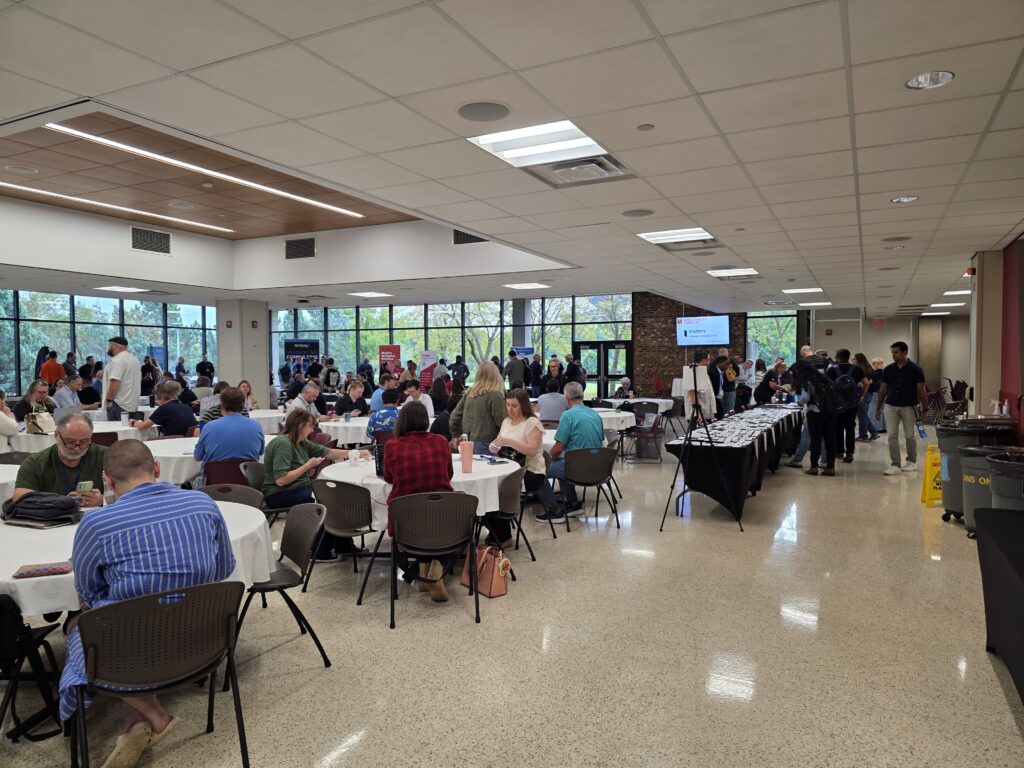
Our 2025 event was on Friday September 19, 2025. We had 705 registrations prior to the event with a number of folks that registered at the event. All in all, we had about 380 folks on site (that’s a pretty normal ratio against registrations). The attendee numbers were a good trend from 2024 where we had about 250 folks – steadily growing post-pandemic.

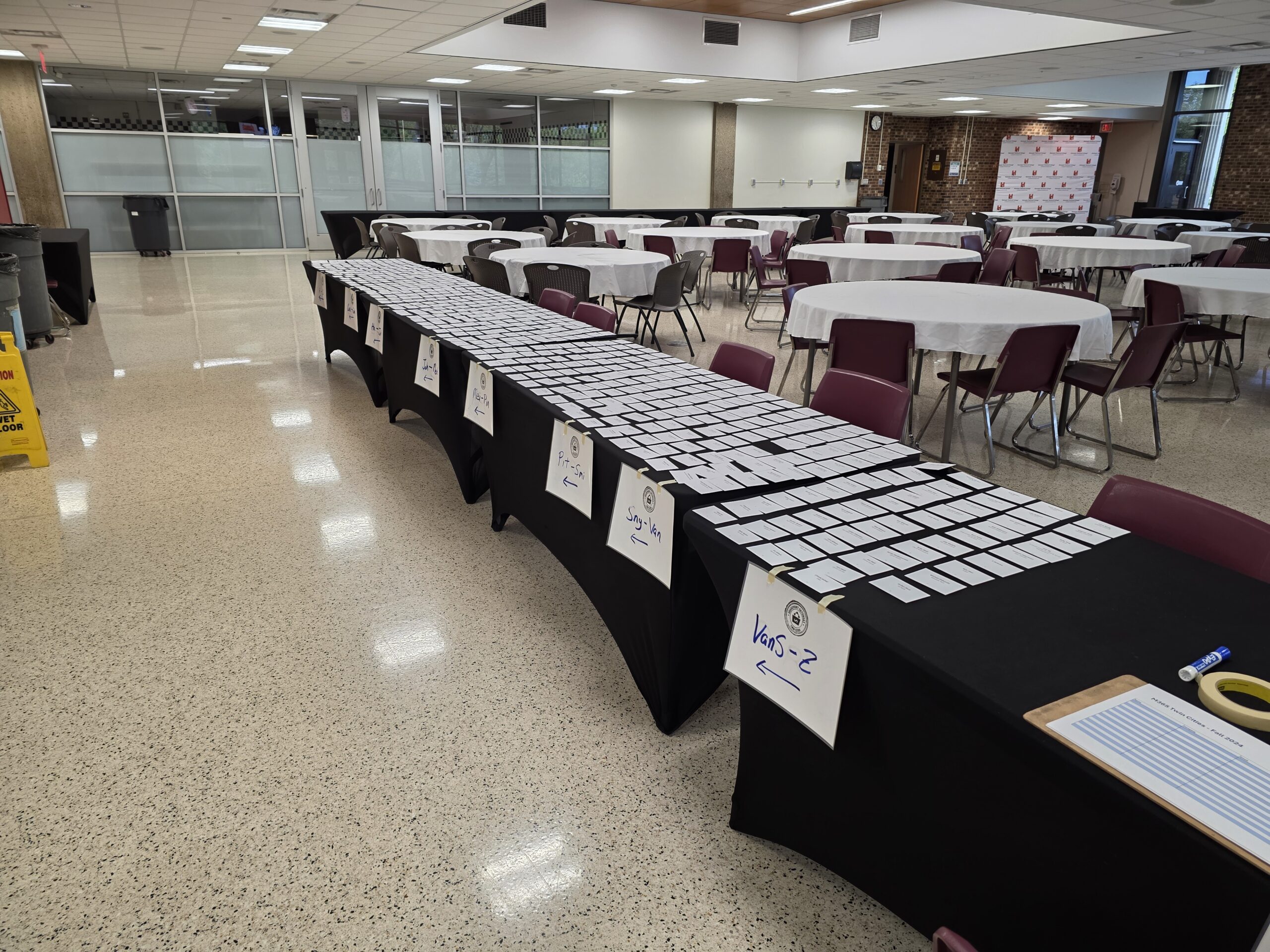
Registration – Ready to go!

The ‘vibe’ was overwhelmingly positive. The higher attendance was immediately obvious and contributed to the higher energy in the room from both attendees and sponsors. As our community usually does, they hit up the sponsors early – even before our opening info session. The coffee and donuts may have helped as well.

We had 31 sessions with 33 speakers across 8 rooms – with the largest session attendance topping out around 110 people! Learning was had by all.

Sponsorships post-pandemic were, and still are, a challenge. The market has changed, the economy has changed, and how sponsors engage with customers has changed. Where we had a little budgetary buffer in the past (pre-pandemic), events are tough to fully fund. We’re hopeful that rising attendee numbers will help bring sponsors back. Our 2025 event had 8 wonderful and fully engaged sponsors.

Locally, we’ve got a really strong Microsoft community – a healthy SharePoint history and M365 adoption across businesses, government, and other organizations. While this is mostly a good thing, it also drives a bit of competition with other groups and events within our community. While this is great for attendees, it’s tough on sponsors and event producers. There’s only so much funding to go around and tight budgets can impact community-driven (and funded) events like ours.

Historically we’ve had 1-2 events a year with 2 events most years. Coming back post-pandemic we’ve tended towards a single event – *and* moved to Fridays – in an effort to make sponsorship funding more reasonable for our supporting vendors.

Next up – Fall Event

Our 2026 event will be held on Friday September 18, 2026. Registration is open. We’re working on session selection and aim to have the schedule up in a few weeks.

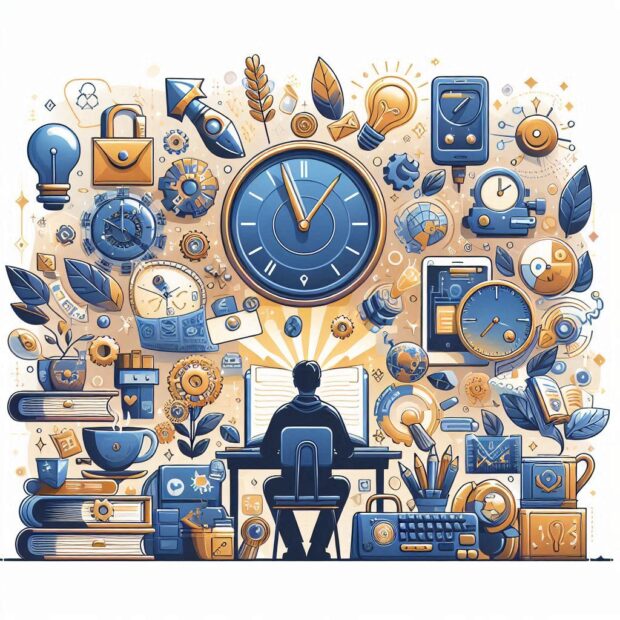
Learning – Keep at it

This past weekend I attended a white coat ceremony for the first time. This is a (newer) rite of passage for incoming medical students as they begin their journey to becoming medical professionals. In preparation for the ceremony, each of the classes (degrees/programs) crafted their own oath and each of the three we heard that afternoon included a commitment to continued learning.

This commitment to learning shouldn’t come as a surprise, especially in the medical fields. Technology changes. Our collective understanding of health, medicine, and the human body grows. We expect the highest quality, experience, and knowledge from our health care workers. These professionals need to set time aside for ongoing learning. And they do.

What about those of us in the technology and/or business world?

For starters, most of us aren’t taking oaths for our jobs, but I’m still a fan of making ongoing learning a good practice. I don’t have the stats to back it up for this quick article, but I’m pretty confident learning is good for our mental health. I know keeping up with the latest technology is a requirement for many of us in the tech world if we are going to have effective knowledge of technology capabilities and best practices. With so much change happening so fast it’s hard to keep up or even stay ahead of our users and customers sometimes. AI is just the latest hot topic but change in our world is rapid and not slowing any time soon.

As consumers we experiment (or ‘play’ depending on your perspective) with the tools, we read docs and blogs, we listen to podcasts, and attend training and conferences. Sometimes we do it with management support (funding and time), though often on our own dime and time.

What’s your approach?

  • Do you listen to podcasts on your way to work?
  • Do you read an article a day or have daily micro-learning approaches?
  • Do you save up your time and do deeper dive research that might last longer periods every so often?
  • Regular training or conferences via your employer? Check out Community Days for local opportunities!

What works? What doesn’t?

Are you only consuming? Or are you sharing your knowledge with others as well?

water droplet in shallow photo

Power Apps Splash Screen for Custom List Form

When using Power Apps to customize List forms, I’m a big fan of “About” screens as a way to give users more information. It’s so easy to spin up a page to communicate info that should be available to the user. At a recent event (TechCon Atlanta ’25) someone asked about a screen *before* the new item form. So, let’s look at that.

Without going too deep into potential business reasons here – maybe we need to make sure users know something (disclaimer, etc.) or see something (branding) – we want to have a form that is displayed *before* the new item form. A splash screen.

Before we add the new screen, let’s set up the New, Edit, and Display functionality. Plenty of documentation on how to do this, but we can look at this older (but still valid) Power Apps blog post about it. Once the forms and properties are stitched together, we can add our new pieces. Why do this? We might not want the splash screen for all applications… like when viewing or editing. We’ll stitch it up just for the NewItem for this example.

  1. Navigate to your List (SharePoint or Microsoft Lists)
    Note: If you’re building a solution others in your organization will be using, make sure you’re using a list NOT created in “My Lists”. The list should be in a SharePoint site.
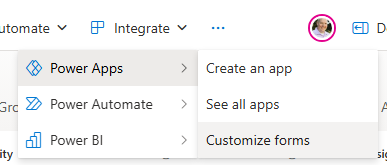
  2. Customize forms in Power Apps

  3. Configure the SharePointIntegration control as shown in the blog above.
  4. Add the new screen. Let’s call it “SplashScreen”

  5. Add some content to it. Maybe a logo image, disclaimer text, or whatever works for you.
  6. Add a button to navigate to the actual NewItem form. (OnSelect: Navigate(CreateScreen))

  7. Update the OnNew property of the SharePointIntegration control to not point to the NewItem form, but the new SplashScreen.

    Set(SharePointFormMode, "CreateForm"); NewForm(CreateItemForm); Navigate(SplashScreen, ScreenTransition.None)

And there you go. That’s one way to do it. There are other approaches as well. Do what works for you.

Interesting little note:
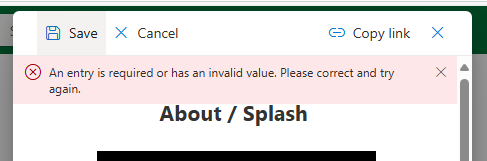
Back in SharePoint, while you’re on the splash screen, the Save/Cancel functionality – which is sort of a container for the Power App form – still functions as it should. If you try to Save it’ll fail because you haven’t filled in required fields like Title yet…

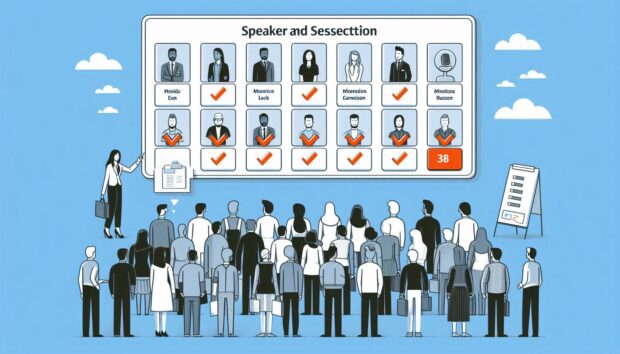
Speaker and session selection for an M365 community event.

M365 Twin Cities – Session Selection

Uffda. This is the recurring (now annual) “picking sessions and speakers for an event is hard” post.

How it starts

  • 32 session slots available (8 rooms, 4 time slots)
    • Of these, we reserve 4 for potential sponsored sessions. These may be freed up for other content as we get closer to the event if we don’t find sponsors to fill them.
    • This leaves 28 session slots for community speaker sessions
    • NOTE: We’ve had more rooms in the past, but this tends to dilute attendance per session. Fewer rooms tend to raise the number of attendees per session which is nice for presenters. Like anything this is a variable we tweak and adjust as we don’t want rooms too crowded either.
  • 109 sessions submitted from 53 speakers
    • Yes – a LOT of Copilot/AI topics this time around. We’ll have plenty but there’s still lots of other relevant topics to talk about.
    • We had a notable jump in new speakers submitting – mostly out of town folks that we don’t know personally. I’m curious what drove that… We didn’t change anything that I’m aware of when it comes to Call for Speakers or communications. Interesting.
    • As with every event, we also had a number of “regulars” – friends and colleagues – that didn’t submit, which is disappointing. They each have their reasons. When it’s our fault with scheduling it hurts a bit, but we do our best – scheduling is also tough. It’s a bummer to miss opportunities to host and hang out with friends we’ve made in the community.

Our community is blessed with so many folks full of ideas, with wide varieties of experiences, and with the willingness and skills to share their knowledge with others.

Now, expectation setting… We never get this 100% correct for everyone. We guess who’s going to attend and what they want to hear. We base our decisions on previous events, on what we know about the technology, the topics, the speakers, past attendees, and all sorts of input. But we do our best to balance what we can.

Our panel consists of members of the leadership team. Your event and approach may vary. I’m sure there are other variations and ways to do this – maybe put together a content committee or something along those lines. We tend towards simplicity, so here we are.

Priorities, Variables, and Factors… How it comes together

There are a bunch of things we work towards balancing. We want to invite out-of-town speakers, but we like to favor local folks where we can as well. We want to give new speakers an opportunity to speak while also providing known quality speakers for attendees. Because of these priorities we don’t use the blind selection method (looking at titles and abstracts while hiding speaker names).

We leverage our event tool Sessionize where and how we can, sometimes using their selection/rating system and process, sometimes we tweak the methods. The tool does a wonderful job of collecting submissions and later notifying folks once decisions are made.

When it comes to topics, we try to find a variety of timely and relevant topics that apply to our attendee base. We’ll compare similar looking sessions. We’ll look for sessions that appeal to different roles in the M365 world, different products, etc.

Once we get the number of prospect sessions down to around the number we need, we switch gears and start looking at how those sessions fit into slots in the schedule. If we have too few or too many sessions around a topic or what might turn into a topic “track” then we start to massage the schedule to work as well as we can.

Our event doesn’t usually have a keynote. We’ve got a room for it now (we didn’t for a number of years) but attendees seem to prefer filling the time with as many sessions as possible. Better to have 8 topics to choose from for one of the time slots rather than just one and hope it appeals to most.

Finally, we slot the sessions and review the schedule for topic conflicts, overlaps, if speakers have more than one session (not many) they aren’t scheduled at the same time, etc.

Setting the schedule

We whittled the list down to 29 sessions (1 sponsor and 28 community sessions) with a number of backup sessions from the queue of speakers.

We have 33 speakers – a few sessions include more than one presenter. This means we have to turn down 20 folks. This is one of the hardest parts of the process. So many folks that took some of their valuable time to create sessions, write abstracts, and come up with titles. We don’t have room for them all to present, but we are thankful for them and hope they submit again.

Thoughts…

The concept of a content panel is interesting. It might be something to look at if attendee numbers continue to rise. We could also do some more polling of attendees to see what topics folks are interested to either verify our assumptions or give us more data to work with.

We get a step closer to the event

Visualize the comparison or battle between Microsoft's Power Platform and Pro-dev coded customization

Power Apps … *One* Option for Extending M365

This note is in response to Andrew Connell and Julie Turner’s YouTube video – “Ep. 009 | Microsoft 365 Extensibility: Power Platform isn’t the Only Option” – on their “Code. Deploy. Go Live.” YouTube channel.

The premise of their episode title and some of the take-aways that struck Andrew and Julie were:

  • “Power Platform is still king” – Julie’s observation while working the Ask the Experts table/panel and seeing the line – the demand – for Power Platform Q&A.
  • “The number of people that think that the way to build something custom on M365 – that your only option is Power Platform.” – Andrew’s observation after Seattle’s TechCon event.

I don’t necessarily disagree with these observations. Many folks that have dug into the Power Platform are invested… Power Apps and Power Automate have become their “hammer”, their tools of choice, their platform of preference and bias – both the community and marketing Microsoft has built around these tools does little to discourage that thinking.

Awareness

I don’t know if folks aren’t aware of other methods to customize M365, or if they simply aren’t driven to find or investigate other options. For many of these folks – folks in the Power Platform’s target audience – “development”, “pro-code”, etc. is a no-go. Many are business users that have little interest in becoming developers and shy away from conversations about actual coding.

As for me, while I focus on a range between out-of-box capabilities for power users of M365 through Power Apps makers, I try to include the full range of options available for folks in the conversation: from out of box capabilities, to tools like Power Platform that extend traditional platform capabilities, to pro-dev customizations. 3rd party products also figure in the mix and also change at a rate challenging to keep up with.

Power Platform is accessible

I’m not sure “accessible” is the right word… but for many M365 users the step up to Power Apps and Power Automate is a lot more approachable, achievable, reachable, and viable than stepping into the “pro-dev” development world. Mostly from a skills perspective. They can start experimenting with *some* Power Apps and Flows with very little effort and see results. Now, I understand that getting bigger results with Power Platform requires an investment of time and effort to do more advanced things. If someone were to compare efforts at becoming a high-level Power App maker with the effort to become an effective pro-developer resource… I’m not sure what that might look like. I am confident that most Power Apps folks would still choose Power Apps. Digging into the reasons for that would be interesting…

For a lot of folks, there’s a bit of disillusionment with IT and development. Developers are almost always overworked and have huge backlogs of work (new or maintenance) to keep them busy – making new requests hard to deliver on a timely basis. With that, lots of folks see opportunity with Power Apps as a way to get what they need from a business standpoint more quickly and easily.

Yes, those of us on the IT side know choosing that path comes with a price. But folks trying to get their jobs done will still do it and deal with the “other stuff” later. Often with the blessing of their (non-IT) managers.

Some organizations don’t have developers available in-house, so they need to engage with consultants – which cost money. These (usually) small to medium (“SMB”) organizations often resort to seeing how much they can get done with the tools and licensing they have available – which leads them to the Power Platform.

“Not Enterprise-Ready”

Most of the folks I work with are at the intro-level of Power Apps, where I’m making folks aware of what’s available within existing M365 licensing. While I’ve seen some larger implementations, I don’t (IMO) have enough experience there to say where the Power Platform may falter in enterprise-level implementations – specifically when it comes to the limitations of the platforms.

What I do know is that there is plenty of room for error in governance – both in planning and implementation. Most every pro-dev shop will enforce some level of application lifecycle management – or “ALM”. In short, this means they develop in an environment separate from the production data and functionality. While there are ways to implement ALM features with the Power Platform, it would be interesting to see stats on how many orgs that use Power Apps and flows are implementing ALM. Without ALM, they’re introducing risk to their environments. Risk to data. Risk to processes that can grow into business-critical levels. And more.

There are more Power Platform for M365 is “not ready” topics, but ALM is one of them.
I’d quickly add data to that list… where you choose to manage your data is important as solutions grow. Microsoft Lists and SharePoint Lists (the same thing) are wonderful tools for business users but have limitations and cede to Dataverse or SQL as they need to scale over time.

Final Thoughts… for now

*Some* of the perceptions above are biased by the conference’s target audience. I think we’ve been seeing fewer Developer attendees and more Power Platform folks.

Power Apps have their place in the maker/development/customization space. What role it plays, where triggers exist for review, migration, or other will vary from organization to organization. In an ideal world Power Platform tools are introduced to an environment in partnership with Pro-devs. ALM for Power Apps and flows are modeled on Pro-dev processes, and more.

I think Power Apps are a great way to extend List functionality – both with forms and data presentation.

I think it’d be great to see some Pro-Dev comparisons to each of the tools in the Power Platform space. Come up with some common scenarios where Power Apps, Flows, BI or other are implemented and discuss the efforts and capabilities of either approach…

It’s also important to get the “there are multiple approaches to customizations” conversation to decision makers – often the folks NOT at conferences. (generalization, not the rule…)

There are a lot of threads here that could be pulled… Lots to talk about. And lots of “it depends”. 🙂

… and we haven’t even touched how/where the D365 community differs from the M365 community and Power Platform’s piece of that conversation…
M365 Twin Cities Logo

M365 Twin Cities Fall 2024 – By the Numbers

Our most recent M365 Twin Cities event was on Friday September 6th, 2024.

On what was our first Friday event (all previous events have been on Saturdays – as part of the “SharePoint Saturday” tradition), we had:

  • 463 folks registered for the event
    • 250+ of those were NEW to us
    • We had approximately 260 folks on site.
  • 20 dozen donuts
  • 20 boxes of coffee
  • 32 salads, 81 pizzas and cheese bread consumed (once they finally arrived…)
  • 275 cans of soda
  • 8 rooms with a total of 29 sessions (11 so far available to review)
  • 32 speakers
    • 4 Microsoft folks
    • 1 Pastor
    • A bunch of current and former Microsoft MVPs
    • 3 Canadians (that admitted it…)
  • 1 round table discussion session
  • 3 sponsored sessions
  • 7 awesome sponsors – Check them out!
  • 2 speakers suffered minor burns from sticky buns… (They’re OK)
  • 3 LEGO sets were given away at the end of the day – 2 Groots and a Concorde!
  • Session feedback is still coming in, so we’ll see how that goes. (Keep them coming!)
  • 1 schedule change after printing.

Not bad.

We had a few bumps along the way, but overall, the Friday event went over very well. Lots of great conversations were had, networking was done, and folks walked away with a bit more knowledge than they had before.

Check in with Community Days for events in your area and keep up with us on our site and social accounts for updates, meetups, and more.

List Form About Page with Power Apps

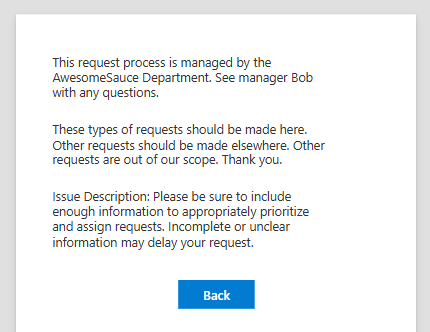
One of the easiest customizations folks can do to List forms is add a second page to their form. If nothing else, it can be used for governance purposes to let users know how to use the form, which department owns the form or who to contact with questions. It can provide specifics on fields or set expectations on wait times or show previous requests by the current user. Lots of opportunities.

We’ve had the Power Apps “customize form” option for a few years now. And while the custom form is a *special* app in some ways (the app is locked to the list, it doesn’t show up in the normal Power Apps interface, etc.) it IS a fully functioning Power App in that it can connect to more than one data source, it can have more than one form, and more.

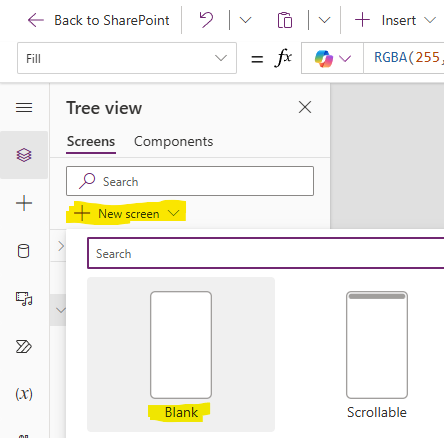
In its simplest form 😉 we add a blank form.

Add an “About” button to the original form and add the Navigate formula to the new form.

Add a “Back” button to the new form and add a Navigate formula to the original form.

Fill the form with text and other controls.

Of course, if you want to get more fancy you can add more complicated capabilities as well. If the form is for a request list, you could show your (current user’s) open or previous requests – maybe let them copy fields from previous submissions. You could show how many open requests are out there and determine estimates on how long it’ll be to get to your request…

We’ve been customizing and extending List forms for a long time. The core has always been list data, which makes perfect sense. But we’ve also been limited that entire time to the list, the form, the page, the site, etc. Power Apps breaks those limitations down a bit and it may be a challenge for some to change the mindset many of us have been in for so long.

Update

Try adding the shell structure with Copilot (post)

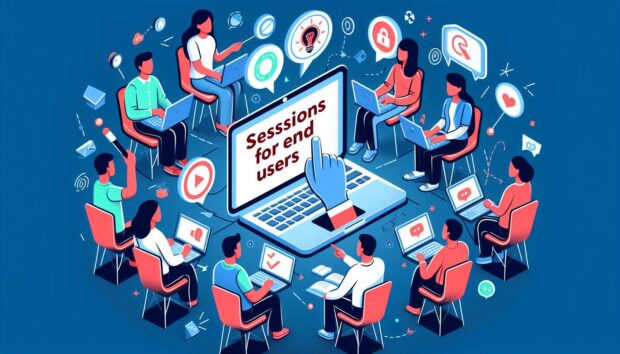
End User Sessions at M365 Twin Cities

OK, I just finished rambling about content for end users at technical conferences. There’s a lot of great stuff out there and here’s a sampling of what we’ve got to offer end users on Friday September 6, 2024 at the latest M365 Twin Cities event in Minnesota:

  • Introducing Microsoft 365 Copilot – with Michelle Gilbert
    Michelle is a local Microsoft resource so you’ll be getting the latest info straight from the source. Are you using Copilot? Do you know what it is? Should you? This’ll be a great opportunity to get the overview you need on what’s available now, what’s coming, and why you should care about AI in the Microsoft space.
  • Calendars! Calendars! Calendars! – with Tamara Bredemus
    If you’ve never attended a session by Tamara, that alone should be enough to check this out – she’s awesome. But the topic is a hot one with so many options and folks not knowing which to use. Check this one out.
  • Integrating Forms with Teams for Real-time Responses – with Brian Alderman
    Between Microsoft’s launch of Teams and the explosion of usage during the pandemic, there are a LOT of Teams users within every organization. Teams keeps adding features and this is a solid one you should be aware of. Check it out.
  • Microsoft Lists: the productivity game changer for everyday people – with Heidi Jordon
    Lists have been around for over 20 years as a structured way to manage data – data we’ve been trying to get you to get off those post-it notes and out of Excel files. Heidi is going to go through a bunch of use cases so you can see what we’ve been talking about and leave you wanting to dig into Lists when you’re back at work.
  • 20 Microsoft 365 Productivity Tips – with Christian Buckley and Tom Duff
    Another favorite of attendees because they’re entertaining and the content is relevant to what folks are doing everyday within the Microsoft toolsets. Highly recommended to check out.

You will walk away with skills you can use and info you can act on.

This is just a sampling. We’ll have a few more sessions posted between now and the event, so keep checking the links below for the latest.

Links

Tech Conferences – Also for End Users

Maybe it’s me, but it seems that there aren’t enough end users at technical conferences. There are a variety of tech events out there and some of them are absolutely deeper dives for technical professionals. But there are more – either professionally produced or community-run – that include content for everyone.

Now, I could have said “training” instead of “conferences”, but training is more obvious (everyone needs it, including end users) and often covered by training departments within larger organizations. The conferences part here is also important because it involves networking with peers – usually outside of the organization. People with different perspectives and company cultures that can bring new ideas and approaches to common issues. Conferences are also great opportunities to interact with SMEs – either community contributors or the folks building the products.

Obviously, you can’t stop work and send everyone. But you can often send more than we’re currently seeing – especially free local events. These events aren’t just for IT. Ultimately, having end users in attendance can also help IT by bringing a business perspective to product features. And yes, these product feature conversations do still need to be tempered by IT realities: cost, time, risk, and many more…

We’ve always had end users at conferences, but never enough when you consider where and how the impact on business occurs and just how many users there are out there. The impact they make isn’t isolated though. It requires partnerships within each org. Users aren’t going to be successful if the platform isn’t deployed or configured correctly (IT Pros). Users aren’t going to be successful if platform owners don’t make connections between tech and business priorities, train users, and keep them up to speed.

Engaging technology to further the business requires awareness, skills, and a bit of balance between a number of teams. The benefits can be awesome.

End users are challenged by awareness, instruction, divided priorities, and limited time. We can group these a bit. Priorities and time go together as there’s often not enough time (this continues to get worse as organizations keep trying to get lean…) and business, not tools, are (and should be) the priority. Learning tools is secondary even if the end result makes the business more efficient.

Awareness and instruction go together with the awareness part often overlooked (also another topic…). Users need to get a grasp of what tools or capabilities are available (awareness) and then learn how to use them (instruction) when they’re relevant. In an ideal situation someone like a platform team or a customer success team may cover awareness in terms of what features are available and where they fit – translating between the tool and business needs. In many cases, however, IT can be a blocker of sorts… not letting users know features are available, or even disabling them.

Disabling features can very well be for legit reasons (security, conflicts with capability offered by other products, etc.). In some cases, they might not enable features until they’ve been tested and validated, IT trains up on them, or training materials are created. And again, we run into crunch time with IT not having enough time to dig in. If end users learn themselves about features, they can inquire about them with IT and help determine when it might be a business priority to deploy features and capabilities. It’s for each organization to find the balance that works for them between business needs, IT capabilities, and prioritizing them.

More than ever before (at least that I’ve seen) the makers of apps, tools, and services are reaching out directly to end users instead of relying on IT as an intermediary. They’re both building tools that appeal to end users and marketing directly to them. Microsoft Lists, for example, has been around for over 20 years (SharePoint, then Microsoft Lists) and is aimed at end users to manage information with structure. More recently the Microsoft Power Platform targeted all users with Power Automate and Power Apps – though I’d argue Power Apps is very much NOT for all users… but that’s another post. Currently, we’re in the midst of AI and Copilot rollouts that will have impact on everyone.

Summary

The more end users we can get at conferences, in training, and engaging within technical communities, the better. They can gain awareness to features and capabilities to understand where and when they might be useful in their business needs. They’ll know when to ask IT to turn a feature on they might not have access to initially. They can build personal networks and provide valuable feedback to product owners.

So, especially when it comes to local and free (or for marginal costs…) events, make the time when you are able to enable your employees and your teams to join the conversation! It’s good for mental health to step away from the grind every so often too. 🙂

Context and Perspective

My opinion and experience here is biased on several accounts:

  • I’m an event producer. Just small, local, community-run events, but still. I’m interested in getting folks to events both because I want events to be successful and because I want folks to have the opportunity to learn, to skill up, to become more effective with the tools they use (that’s why we put them on after all…).
  • I’m also involved with a group that promotes community events and encourages folks to produce them.
  • The tech spaces I work in (Microsoft M365, SharePoint, Lists, Teams, Power Apps, etc.) have historically been near the “edge” of where tech professionals, power users, and end users come together.
  • I speak at a variety of events – both community-run and larger commercial events.

References

  • M365 Twin Cities – Next one on Sept. 6, 2024 – The event I put on with a team of awesome folks
  • MGCI (Microsoft Global Community Initiative) – The organization I am associated with as a Regional Leader to
  • Community Days – Community-run events (Primarily. Others are listed as well) associated with MGCI’s efforts..
  • TechCon 365 – A larger professionally run event that typically produces 3 or so events per year across the US. A week-long event with workshops, keynotes, and sessions.
    If you’re interested in these, let me know as I often have discount codes available.