Category Archives: Tech Skills

M365 Twin Cities Logo

M365 Twin Cities – Conference Event

M365 Twin Cities is the evolution of SharePoint Saturday Twin Cities and is a Community Days event. As a part of Community Days, we’re also aligned with MGCI – Microsoft’s Global Community Initiative.

We cover topics from M365, Copilot, Power Platform and anything related or adjacent to M365 like Azure, governance, security, and a lot more. Our audience also falls across many personas: Users, decision makers, power users, makers, developers, administrators, and others.

As we’re currently preparing for our 2026 event, let’s recap our 2025 event a bit.

2025 Event By the Numbers

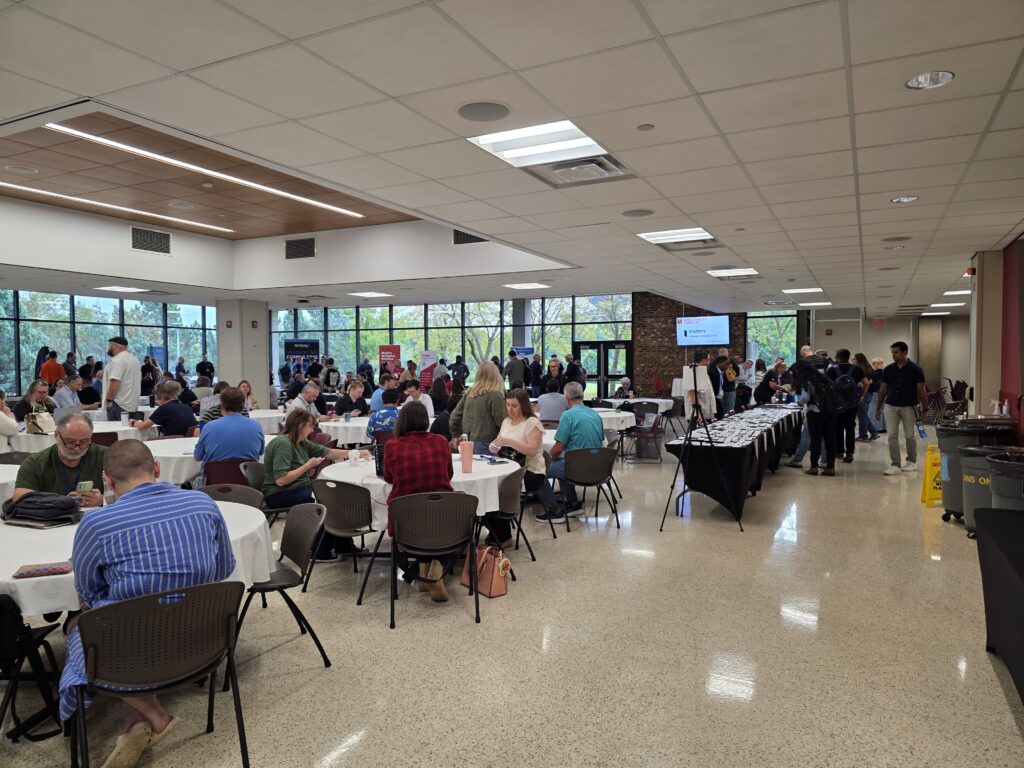
Our 2025 event was on Friday September 19, 2025. We had 705 registrations prior to the event with a number of folks that registered at the event. All in all, we had about 380 folks on site (that’s a pretty normal ratio against registrations). The attendee numbers were a good trend from 2024 where we had about 250 folks – steadily growing post-pandemic.

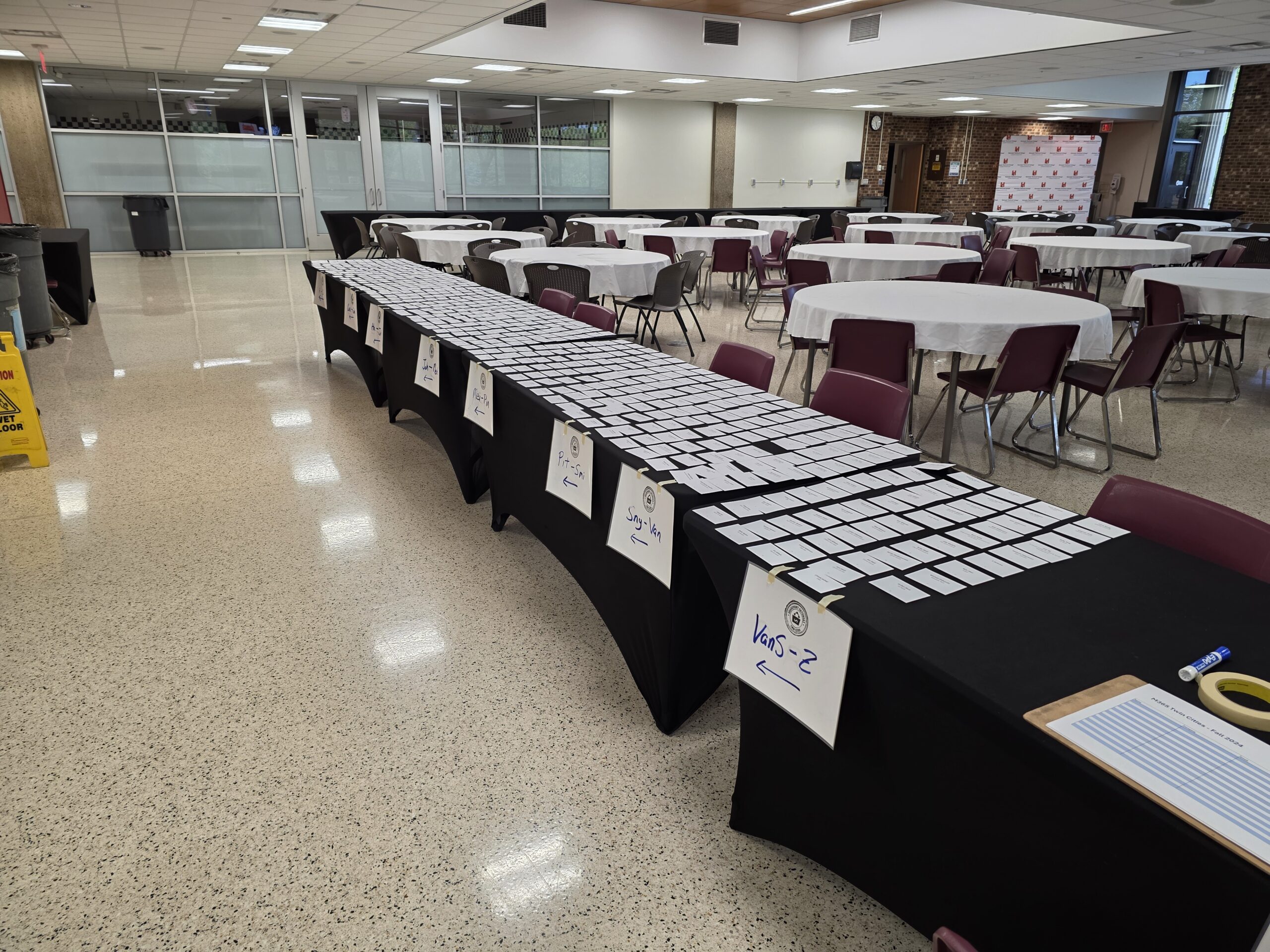
Registration – Ready to go!

The ‘vibe’ was overwhelmingly positive. The higher attendance was immediately obvious and contributed to the higher energy in the room from both attendees and sponsors. As our community usually does, they hit up the sponsors early – even before our opening info session. The coffee and donuts may have helped as well.

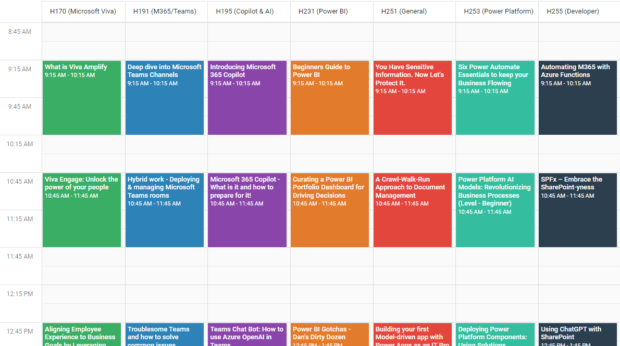
We had 31 sessions with 33 speakers across 8 rooms – with the largest session attendance topping out around 110 people! Learning was had by all.

Sponsorships post-pandemic were, and still are, a challenge. The market has changed, the economy has changed, and how sponsors engage with customers has changed. Where we had a little budgetary buffer in the past (pre-pandemic), events are tough to fully fund. We’re hopeful that rising attendee numbers will help bring sponsors back. Our 2025 event had 8 wonderful and fully engaged sponsors.

Locally, we’ve got a really strong Microsoft community – a healthy SharePoint history and M365 adoption across businesses, government, and other organizations. While this is mostly a good thing, it also drives a bit of competition with other groups and events within our community. While this is great for attendees, it’s tough on sponsors and event producers. There’s only so much funding to go around and tight budgets can impact community-driven (and funded) events like ours.

Historically we’ve had 1-2 events a year with 2 events most years. Coming back post-pandemic we’ve tended towards a single event – *and* moved to Fridays – in an effort to make sponsorship funding more reasonable for our supporting vendors.

Next up – Fall Event

Our 2026 event will be held on Friday September 18, 2026. Registration is open. We’re working on session selection and aim to have the schedule up in a few weeks.

Learning – Keep at it

This past weekend I attended a white coat ceremony for the first time. This is a (newer) rite of passage for incoming medical students as they begin their journey to becoming medical professionals. In preparation for the ceremony, each of the classes (degrees/programs) crafted their own oath and each of the three we heard that afternoon included a commitment to continued learning.

This commitment to learning shouldn’t come as a surprise, especially in the medical fields. Technology changes. Our collective understanding of health, medicine, and the human body grows. We expect the highest quality, experience, and knowledge from our health care workers. These professionals need to set time aside for ongoing learning. And they do.

What about those of us in the technology and/or business world?

For starters, most of us aren’t taking oaths for our jobs, but I’m still a fan of making ongoing learning a good practice. I don’t have the stats to back it up for this quick article, but I’m pretty confident learning is good for our mental health. I know keeping up with the latest technology is a requirement for many of us in the tech world if we are going to have effective knowledge of technology capabilities and best practices. With so much change happening so fast it’s hard to keep up or even stay ahead of our users and customers sometimes. AI is just the latest hot topic but change in our world is rapid and not slowing any time soon.

As consumers we experiment (or ‘play’ depending on your perspective) with the tools, we read docs and blogs, we listen to podcasts, and attend training and conferences. Sometimes we do it with management support (funding and time), though often on our own dime and time.

What’s your approach?

  • Do you listen to podcasts on your way to work?
  • Do you read an article a day or have daily micro-learning approaches?
  • Do you save up your time and do deeper dive research that might last longer periods every so often?
  • Regular training or conferences via your employer? Check out Community Days for local opportunities!

What works? What doesn’t?

Are you only consuming? Or are you sharing your knowledge with others as well?

Features Lost in Complexity

“Complex and feature-rich tools…”

It’s a phrase I saw in a LinkedIn article not long ago that resonated with me as a concise way to convey two connected issues that we see users and organizations facing with enterprise software these days.

  • Product complexity – Leads to users not finding functionality they want intuitively in the interface.
  • Knowledge gaps – The larger the feature portfolio, the tougher it is for users to master the skills needed for their role or specific activities.

Now, complex and feature-rich tools are a good thing, right? They’re filled with so much promise. As new features are added and software grows, at some point these products can get more difficult for users to use – and more challenging to meet those ROI expectations. Not to mention the added twist we have now with cloud-based applications and the speed at which they change. It’s a moving target to get up to speed and stay up to date with features and our ability to leverage them.

While the article linked above talked about both business value and usage with HubSpot, the issues absolutely apply to Microsoft’s M365, Power Platform, and other enterprise platforms like Workday, ServiceNow, etc. as well. In-house custom applications aren’t immune either. In fact, custom solutions might be more challenged because they don’t have a level of support, documentation, or training that commercial products (should) have.

To make the problem worse, the biggest group of users are typically business users whose main priority isn’t learning software but is actually running the business.

“Does the product do this?”

The problems listed above are obviously related. As features are added, removed, or changed – training materials and resources need to keep up and users need time to consume them. But the changes keep coming, so it’s a never-ending effort. You end up with users at all levels and roles not aware of capabilities that could be impactful for them.

How do you address a large and complex set of features?
Maintain, or subscribe to, a definitive list of platform features, activities, skills, and capabilities. Sounds like it should be easy, but it’s usually not. Between the size and complexity of platforms these days and the rate of change, it’s difficult for folks to know what’s available, what’s not, what’s changing, etc.

How do you address knowledge gaps? How do users know what they don’t know?

  • Use assessments – *not* exams – to figure out where the gaps are. It’s not a pass/fail situation. It’s a non-punitive metric of what you have awareness of and what you don’t so you can put focus on the gaps when and if you need to.
  • Provide resources, training, champions, examples, and all the traditional materials for users to skill up when, where, and how they prefer to learn.

So, we do our best. If we have a platform team (or whatever it’s called in your organization) they can be responsible – as their job – for knowing the tool inside and out and understanding how the organization leverages the tool. They either create or work with a training department to create or source training and reference material. We utilize change management policies to deliver timely communication about changes coming, and the people/roles that are affected.

If you don’t have a platform team, there might be an IT generalist on the tech side or user “champions” on the business side that do their best to keep up with features and capabilities.

Prevention – Governance

Training, resources, change management… you name it. Get ahead of knowledge gaps by preparing materials and training sessions before introducing tools – when you can. But there’s still work to do after deployment.

Build and maintain training and other resources so you can leverage them throughout the lifecycle of the product or application. Maintaining resources is key for new users to an organization and folks that skill-up over time.

No plan, implementation, or organization is perfect though. There will always be gaps. There will always be new folks coming to the organization or to new roles and positions. The best we can do is set the environment and systems up as best we can with the staff, tools, and funding we have available.

3rd party tools and services might also be part of the mix. That list of features, skills, etc. mentioned above? Let someone else manage the definitive list. Focus your organization on the training materials needed for your situation. There are also tools like VisualSP that enable in-app, just in time learning for users. There are options. Find what works for your users.

Artificial Intelligence

AI is certainly going to help with issues like this as well. As product owners add AI chat interfaces, users will have more ways to search or ask for what they are looking for and have better results than previous “help” interfaces were able to support.

Set users up for success

This is the same message product owners, consultants, trainers, etc. have been preaching for years. Establish a location for users (not just “end users” but all roles) can come to find the info they need within your org. It might be called a “Center of Excellence”. It might be something you build, or a collection of tools, services, etc. you cobble together. You can start with common community-built knowledge, links, etc. and then curate or build organizational-specific knowledge, experiences, learning links, and more.

Finally, build momentum. With more folks using the software and platforms successfully, there will be more opportunities to share what they’re doing and how they’re doing it. Raise that collective awareness and skill level.

Tech Conferences – Also for End Users

Maybe it’s me, but it seems that there aren’t enough end users at technical conferences. There are a variety of tech events out there and some of them are absolutely deeper dives for technical professionals. But there are more – either professionally produced or community-run – that include content for everyone.

Now, I could have said “training” instead of “conferences”, but training is more obvious (everyone needs it, including end users) and often covered by training departments within larger organizations. The conferences part here is also important because it involves networking with peers – usually outside of the organization. People with different perspectives and company cultures that can bring new ideas and approaches to common issues. Conferences are also great opportunities to interact with SMEs – either community contributors or the folks building the products.

Obviously, you can’t stop work and send everyone. But you can often send more than we’re currently seeing – especially free local events. These events aren’t just for IT. Ultimately, having end users in attendance can also help IT by bringing a business perspective to product features. And yes, these product feature conversations do still need to be tempered by IT realities: cost, time, risk, and many more…

We’ve always had end users at conferences, but never enough when you consider where and how the impact on business occurs and just how many users there are out there. The impact they make isn’t isolated though. It requires partnerships within each org. Users aren’t going to be successful if the platform isn’t deployed or configured correctly (IT Pros). Users aren’t going to be successful if platform owners don’t make connections between tech and business priorities, train users, and keep them up to speed.

Engaging technology to further the business requires awareness, skills, and a bit of balance between a number of teams. The benefits can be awesome.

End users are challenged by awareness, instruction, divided priorities, and limited time. We can group these a bit. Priorities and time go together as there’s often not enough time (this continues to get worse as organizations keep trying to get lean…) and business, not tools, are (and should be) the priority. Learning tools is secondary even if the end result makes the business more efficient.

Awareness and instruction go together with the awareness part often overlooked (also another topic…). Users need to get a grasp of what tools or capabilities are available (awareness) and then learn how to use them (instruction) when they’re relevant. In an ideal situation someone like a platform team or a customer success team may cover awareness in terms of what features are available and where they fit – translating between the tool and business needs. In many cases, however, IT can be a blocker of sorts… not letting users know features are available, or even disabling them.

Disabling features can very well be for legit reasons (security, conflicts with capability offered by other products, etc.). In some cases, they might not enable features until they’ve been tested and validated, IT trains up on them, or training materials are created. And again, we run into crunch time with IT not having enough time to dig in. If end users learn themselves about features, they can inquire about them with IT and help determine when it might be a business priority to deploy features and capabilities. It’s for each organization to find the balance that works for them between business needs, IT capabilities, and prioritizing them.

More than ever before (at least that I’ve seen) the makers of apps, tools, and services are reaching out directly to end users instead of relying on IT as an intermediary. They’re both building tools that appeal to end users and marketing directly to them. Microsoft Lists, for example, has been around for over 20 years (SharePoint, then Microsoft Lists) and is aimed at end users to manage information with structure. More recently the Microsoft Power Platform targeted all users with Power Automate and Power Apps – though I’d argue Power Apps is very much NOT for all users… but that’s another post. Currently, we’re in the midst of AI and Copilot rollouts that will have impact on everyone.

Summary

The more end users we can get at conferences, in training, and engaging within technical communities, the better. They can gain awareness to features and capabilities to understand where and when they might be useful in their business needs. They’ll know when to ask IT to turn a feature on they might not have access to initially. They can build personal networks and provide valuable feedback to product owners.

So, especially when it comes to local and free (or for marginal costs…) events, make the time when you are able to enable your employees and your teams to join the conversation! It’s good for mental health to step away from the grind every so often too. 🙂

Context and Perspective

My opinion and experience here is biased on several accounts:

  • I’m an event producer. Just small, local, community-run events, but still. I’m interested in getting folks to events both because I want events to be successful and because I want folks to have the opportunity to learn, to skill up, to become more effective with the tools they use (that’s why we put them on after all…).
  • I’m also involved with a group that promotes community events and encourages folks to produce them.
  • The tech spaces I work in (Microsoft M365, SharePoint, Lists, Teams, Power Apps, etc.) have historically been near the “edge” of where tech professionals, power users, and end users come together.
  • I speak at a variety of events – both community-run and larger commercial events.

References

  • M365 Twin Cities – Next one on Sept. 6, 2024 – The event I put on with a team of awesome folks
  • MGCI (Microsoft Global Community Initiative) – The organization I am associated with as a Regional Leader to
  • Community Days – Community-run events (Primarily. Others are listed as well) associated with MGCI’s efforts..
  • TechCon 365 – A larger professionally run event that typically produces 3 or so events per year across the US. A week-long event with workshops, keynotes, and sessions.
    If you’re interested in these, let me know as I often have discount codes available.
close up of hand holding text over black background

Drafts. I have a lot to not say.

I went looking for a post I knew I had started jotting down but hadn’t finished only to find a LOT of drafts from the past year and more. A bunch of half-finished thoughts, captured ideas, or the beginnings of things I wanted to get out there. Uff-da. So many thoughts and threads to pull on. But there’s a lot going on and changing. The world of technology, people, and the connection between the two has no shortage of issues to address. We’ll continue to have a lot of work to do to improve across the board.

A lot of the concepts I started writing are still valid and hopefully useful to someone. Many are early exercises for me to organize thoughts and pull together enough information to craft a complete story for eventual posting or a conference session. There’s going to be more about AI – it’s touching pretty much everything in the tech space. We’re still going to be talking about building and maintaining communities. There’s plenty to talk about with specific tech (Microsoft, Lists, Power Platform, and more…). And I’m still digging into concepts around learning, skilling-up, sharing solutions and business value, and more.

There’s so much content out there now. It’s noisy. EVERYONE has something to say. It’s harder to find the content that you need, when you need it, from the people you need to hear it from.

I need to do better at following through, completing thoughts, or… something. Every post doesn’t need to be a full accounting. I tend to want to cover as many of the what-ifs as I can which makes posts loooonger than they need to be. I’ll try to do better.

Friday thoughts over coffee and a blog site.
Happy New Year!

black and red typewriter

Storytelling: Internal Team Value and Impact

Around the time I was publishing my most recent article on storytelling, an acquaintance of mine was submitting a LinkedIn post with a request for examples of internal promotion stories.

I glommed on to a few details she shared in the conversation thread:

Sell the value of your team

The first was where she was “wondering how an internal team’s story can be told so that others can tell it again and sell that team’s services”. My immediate thought (as a technology consultant) was SharePoint team sites or pages. Something our community has preached for years – having a SharePoint site or page for each team so they could easily, clearly, and publicly (internal) share what their team does, who they are, how to reach them, and potentially share current and ongoing success stories. It’s not necessarily having the story to pass on as much as it is having an easy place to point folks to see the story themselves (make it part of their team’s marketing, links in email signatures, etc.).

(Edit/Note: I realize her “how” is more about how to construct a story effectively than it was about logistics or technology… I will cover more on the story writing in the follow-up post.)

As internal team functional sites shift from the SharePoint experience to the Teams experience (on the surface, SharePoint is still the engine behind Teams), teams still need (IMO) a company-facing surface to tell their story, hence the separate page or site.

The ongoing success stories part has a bit more wiggle room. There are a number of ways to facilitate this with technology. A while back it might have been done within that SharePoint site with a list, web parts, etc. For a while it might have been telling stories via Yammer. Now it might involve Viva as part of the story gathering, promotion, and distribution efforts – maybe with some Power Automate to facilitate an approval process, etc. Lots of options.

Regardless of the technology however, the organization needs to train itself to *capture* those successes and tell those stories effectively. While implementing technology can be fairly straightforward, changing the mindset, priorities, and culture are a LOT harder. (More on this in another post…)

Share the impact of your team

The second quote also struck a chord: Wanting to make the case that “clients of the storytellers … wouldn’t go without UX again”. “UX” is a specific example here, but the concept can apply to all sorts of services. The “can’t do without” subject approach is super compelling in a “what we offer” from our services sort of way. It’s so important to not just tell what your team does and how it does it, but that others – your customers (even if internally) – had such a great experience working with you that they would make it a point of not going it alone in the future when they’re doing something similar.

e.g., Why would I write my own training docs if I could work with the training team that does it every day and has built a team around writing and training. It might be a secondary (or even strong) skill for my team, but it’s their team’s primary focus. They are better at this than we are. They can apply branding and consistency where that might be an extra effort for us. We can focus on *our* primary goal of delivering this platform, product, feature, whatever…

Technology Bias and Action

My bias is towards using a technology solution as at least part of a solution – when it fits – and usually something that’s part of the Microsoft stack as that’s been my area of operation for many years. Some of these approaches could likely be implemented with other products as well depending on what your organization is invested in.

The rest of the solution will be people focused. It could be in policies, practices, habits, or company culture.

Skills…

Often neglected in these storytelling examples are the tools, skills, knowledge, and/or experience that were necessary to build and deliver the successful effort. Personally, I think it’s relevant but that’s because of the context I’m thinking in – specifically around roles, technology skills, upskilling and skill gap filling. Important, I think, but only urgent at the time you actually need those skills or solutions to replicate something or build something of your own.

Other Tagging

The skills or roles mentioned above could from one perspective be a form of tagging for your content. One taxonomy used to tag or assign context to the story. There are others though. Depending on what makes sense in your organization there might be other keywords to categorize a story. Ultimately, you want folks to find the content when they’re looking for it. Tags of any sort will help with search, with AI-based targeting, or even manually browsing. It’s important to capture tags when you’re able and have the systems configured to filter and return results on them.

Summary

These are just a few examples of the value of storytelling within an organization. There are countless others, but the value only comes by capturing, curating, and sharing them. Otherwise, the wins go uncelebrated and the gains in reproducing them or learning from their lessons are lost.

Writing and telling stories (well) is worth the time investment.
(Just don’t admit that to my high school English teachers…)

Sessions and Tracks and Sponsors, Oh my…

We’ve still got room for more. More sponsors and sponsor-driven content. I keep thinking of all the great content that folks could present.

We’ve got tracks and rooms with openings. I find it hard to believe there are orgs out there that don’t have value to add, skills and knowledge to highlight, and content to share. Who in the Twin Cities area or the Upper Midwest region are the go-to firms that can help with Viva, Copilot, or Power Platform? They’ve got to be out there (I can think of a number of folks that would be great fits…) and eager to reach potential customers. Microsoft is marketing hard along these lines. What say you partners?

Speak up, speak now! If we fill these sponsor slots, we can meet our budget needs for this event. It’s a particularly good deal for local orgs that don’t have to add on travel expenses. As much as our attendees appreciate folks coming from out of town, they also love being made aware of local folks that can help them out – sometimes right now, sometimes down the road.

Heck, even for folks coming from out of town the cost to join our event as a sponsor is a deal compared to larger events and we have an engaged audience already heavily invested in the Microsoft platforms. Come and get em. 🙂

Open tracks/rooms

Take a look at our schedule if you haven’t yet. We’ve got a few rooms and tracks where we’d love to round out the topic areas. Add your voice to an already awesome group of community speakers.

  • Microsoft Viva
  • Copilot / AI
  • Power BI
  • Power Platform
  • Developer

Session ideas and gaps

Have some thoughts in the areas listed above? Drop us a line!

What about these topics or others? This is just me spit balling – not even tossing ideas around with the team that would certainly yield more relevant topics and refine the ones listed here.

Microsoft Viva

  • Beyond the Intranet – Engaging your employees with Viva
  • Viva overview – A walk through Viva offerings and what to use when
  • Getting started with Viva – What it takes to skill-up and staff-up for your organization
  • Viva case studies – Recently spun up Viva in your org? Here’s what we learned in ours
  • Viva Best Practices

Copilot / AI

  • Microsoft Copilot – An overview of the various products, where they’re at, what’s on the way
  • Copilot stories and case studies – How AI is working for us…
  • Copilot Best Practices

Power BI

  • Power BI vs. Tableau – Pros and Cons
  • Power BI as a part of your overall data strategy and implementation
  • Power BI Best Practices and Case Studies
  • Skilling up your team for Power BI success

Power Platform

Oh my, there’s just so much to cover even with Power BI having its own track…

  • Getting started with Power Apps for Lists and M365
  • Building a Maker community and mentality within your organization
  • Need to Know – Admin’s Guide to managing the Power Platform
  • So. Many. Case Studies.
  • What the heck is Dataverse and why you should care
  • Power Platform tools vs. 3rd Party tools

Personally, I’m curious how consulting organizations are approaching Power Platform regarding doing work for organizations and/or/vs. building trusted advisor roles with makers via training and advising. Seems like opportunities for a broad spectrum of engagements.

Developer

  • Exploring the Pro Dev features and capabilities of the Power Platform
  • Extending M365: Where, When, and How
  • M365 Development Best Practices
  • Extending Power Platform Capabilities with Azure (Azure Functions, AI, and other specific capabilities – there are so many folks don’t realize)

What would you like to hear about?

“I really wish they had a session on…” Speakers, vendors, and others would love to hear what topics folks would like to see covered. We’re usually guessing (albeit with plenty of experience) on what you want to hear and when. We don’t know what stage your org is in and what’s relevant to you now.

Let me know!

Are you an attendee coming in a few weeks? What content are you looking for? What’s relevant for you or your organization right now? Let me know.

Are you a potential sponsor? Need a hand pulling some content together? Do you have someone interested in speaking that wants some coaching or help? Let us know – we’d love to get you started!

References

a woman holding a recognition award

Benefits of Community Contributing

To follow up my recent post, it would be remiss of me if I didn’t mention the potential benefits of doing community work. There are plenty of opportunities to benefit from being involved, contributing content, running events, etc.

Also, some folks might be motivated by these potential benefits beyond the benefits to the community. Some folks might get involved primarily for these benefits and there’s nothing wrong with that IMO. You can discuss intentions and judgements amongst yourselves. 🙂

To set or reset expectations, these are potential benefits. Nothing is guaranteed.

You’re almost certain to learn something.

Writing blog posts or preparing presentations/sessions (at least for me) requires digging fairly deeply into topics. It almost always leads to new topics, related topics, dependencies, and more. Some of them I’m able to dig into right away. Others I may need to chalk up to raising awareness of something that I’ll likely dig into later. Either way, I’ve skilled up. Sometimes I’ve skilled up a LOT. This is honestly one of my biggest drivers…

I find the skills topic interesting. I find that the more I learn, the more I want to learn. The more I want to try, the more I want to tell other folks what I’ve found. Topics might include the how-to steps, or how something impacts business needs, or so many other variations. On and on… Imagine what impact sharing that knowledge could have on your team, in your org, or in a wider community.

Connect skills with examples, share them in the context of your org or across verticals… Talk to me after class on this one. 🙂

Your brand may grow.

In today’s world of social media measurements any content you create is going to add to your footprint. If and when folks find your content, like it, comment on it, share it, etc. it’s raising your personal brand. It’s building a track record of your accomplishments, your knowledge, your skills, your experience, and more.

Similar things apply to businesses and organizations. Many will build community channels for just this purpose – building brand, marketing, etc. Again, not a bad thing.

These tend to be positive things for you as an individual and for organizations you may work for or represent.

Which leads to the next thing…

You may get recognized or awarded for your contributions.

Again, nothing is guaranteed. But you can’t win if you don’t participate. Each community has its own way of recognizing folks.

Badges seem to be all the rage again. If you’re participating in the right forums, sites, etc. you may be recognized in that way.

I’ve been lucky enough to be awarded as a Microsoft MVP (15 years this year!), which brings with it its own benefits. I don’t know who originally nominated me, but I am extremely thankful as it’s given me ways to contribute even more.

You might get new opportunities.

That might mean a new role, a new badge, recognition, or even new job opportunities. After all, you’re building your skills – both technical and social/soft skills and they’re all useful. Sharing is, by default, a social thing. It might get you recognized within your organization as an SME (subject matter expert) or “champion” – someone who has knowledge and experience in a particular area that can build community and mentor others.

Sharing knowledge in various communities more widely than you’ve done before tends to bring attention in the way of job opportunities as well. If you’re a consultant, it might drive some new business. If others need your skills it might lead to new job opportunities. There are a lot of options out there when folks know what skills (both SME topics and soft skills like speaking, writing, teaching, and more…) and experience you bring to the table.

References

Oh yea. There are also stickers. 😛

pexels-photo-209728.jpeg

Why I Do Community

Why? Why, why, why… It’s a good question and not one I often think about because I decided a while back that it’s worth the time and investment – at least for me. Let’s see if something resonates for you to get involved.

The “why” for me is a combination, if not a balance, of selfish reasons and a desire to contribute.

It’s Fun!

Reason 1. I find contributing to the community to be fun and rewarding. We are extremely fortunate to have a community full of awesome people that are fun to be with. Consumers of our content are very appreciative and take the time to say "Thanks". 

“Thank you so much for that. It’s exactly the information I was looking for.”

– Variations from attendees at different conferences, most recently at M365 Community Days in Ottawa.

Participating allows me to share experiences – other than (and often counter to…) what product marketing puts out – with folks. It fills documentation and experience gaps, it provides practical examples that may align with a certain perspective or apply to a specific vertical, and shares discoveries that others may not have figured out yet.

Share What You’ve Learned

Let’s expand on that last thing for a minute. For me, it’s a prime example for many folks to contribute to community – through a blog post, a forum answer, a video, or some other way.

Reason 2. A scenario: Someone wants to accomplish something, finds a challenge along the way, and figures out the trick, the path, or method to overcome it. Finally, they want to share what they found so others don't have to experience that same pain. I regularly hit on this same scenario. 

Self-motivated learners navigate these paths every day. Sometimes its SMEs digging in to explore and exercise platforms. Sometimes its folks doing their jobs day after day. Community contributors go another step and share what they’ve learned with others.

We need to strike a bit of a balance here IMO. I don’t want to underplay the sharing part. It can take a significant amount of time to do effectively. Creating content (writing blog posts, producing videos, etc.) seems trivial, but often requires research time, writing time, production efforts, etc. – none of which is easy. I also don’t want to overplay the sharing part into some martyr-like effort, but it’s worthwhile to understand the efforts being made by folks and the organizations that employ them.

Stay Connected

Reason 3. Working with the community allows you to stay connected with the community. 

So many examples: Organizations using similar tech, 3rd party companies offering products and services in your market, and folks in a variety of roles working with similar products and in similar verticals. It gives you exposure to what other folks are using and running into in their jobs, from their varying perspectives.

Be an Example

Reason 4. I like to contribute to hopefully be an example for others to repeat. 

This doesn’t mean folks will choose to do the same things I’m doing, but it should demonstrate that they can – and at different scopes. Not everyone needs to speak at public conferences. They can, in many more cases actually, present internally at their organizations to others that need the info they have.

I tend to operate within product-specific and geography-specific community (M365 or Power Platform in Minnesota) – But many organizations are large enough and have technical user communities that can benefit internally from similar actions (lunch and learn sessions, internal blog posts, etc.). Imagine the improved ROI for those product licenses you’re paying for if more people know how to use the tools specifically in the context of your company…

Hey, if I can do this, you can do this. Have you learned something that others might benefit from? Talk about it! Write a blog post or submit a session.

It’s Good Exercise

No, not the physical “exercise” like working out. Though, we do get a lot of steps in attending and running events.

Reason 5. Contributing to the community is a good exercise in personal and professional skills. 

Skills that are useful in our professional and personal lives like communicating, listening, writing, (public) speaking, networking, planning, and many other things. Like many of these skills, they need practice. Practice to ramp up, maintain, and eventually mentor others.

So, if you didn’t need another reason, jump in to better yourself and grow your skills.

Retrospective

I would say my experience (in the context of the current technology community) started with combination of excitement about a technology (yep, SharePoint – a little geeky) that solved some business problems (helping people) and wanting to get more comfortable speaking in front of folks.

I like to share what I know – knowledge, experience, tips and tricks, and more – if it can help someone else. It’s the same general concept that drove me to do consulting, which is a lot of the same thing but being paid for it because you’re working specifically for someone and addressing their needs and efforts.

When I worked for a consulting company, community contributions were useful for a number of reasons. It established credibility – for me and my company – in my topic/technology area. It was good marketing getting the company name out there. It looked good from a “we care about the community” perspective as an organization. That sounds like it’s trying to make us look like something we weren’t – but we were legitimately interested in building community.

Summary

This was maybe a bit more introspective and retrospective than usual. Hopefully still useful to someone. I’m sure there are other reasons I could list, but this is already longer than intended so we’ll stop here.

Get involved. It’s fun and rewarding.

Follow up:
group of person sitting indoors

Community Events – Connections

Community events can be about many things. Ours (Community Days, SharePoint Saturdays, M365 days, etc.) are about education, information sharing, and networking. They’re about connections.

Connecting sponsors with attendees, their organizations, customer prospects, potential hires, and peers.

Connecting attendees with each other, with speakers, with potential employers, and with the broader community.

Connecting speakers with their audience.

Connecting product owners with current customers and prospects.

If all goes well, people walk away from the day with LinkedIn connections, X (Twitter) followers, appointments for coffee and meetups, leads to follow-up with, and more.

Sure, education and awareness are a big part too and not to undersell that part, but it is a point in time data point. Hopefully folks walk away knowing how to do something they didn’t before and learn a few keywords or directions to look to dig deeper but the connections are even more important in that they have someone to call with questions, now or in the future.

Connections. Don’t take them for granted. Make the most of your time together. Say hello to the person sitting next to you in a session. Sit with someone new at lunch. Follow up with the person in a session that asked a question for something relevant to you. Introduce yourself to a speaker. Talk to the sponsors. Give the event producers your feedback or let them know if you’ve got a topic you’d love to talk about in the future.