Category Archives: MVP
M365 Twin Cities Fall 2024 – By the Numbers
Our most recent M365 Twin Cities event was on Friday September 6th, 2024.
On what was our first Friday event (all previous events have been on Saturdays – as part of the “SharePoint Saturday” tradition), we had:
- 463 folks registered for the event
- 250+ of those were NEW to us
- We had approximately 260 folks on site.
- 20 dozen donuts
- 20 boxes of coffee
- 32 salads, 81 pizzas and cheese bread consumed (once they finally arrived…)
- 275 cans of soda
- 8 rooms with a total of 29 sessions (11 so far available to review)
- 32 speakers
- 4 Microsoft folks
- 1 Pastor
- A bunch of current and former Microsoft MVPs
- 3 Canadians (that admitted it…)
- 1 round table discussion session
- 3 sponsored sessions
- 7 awesome sponsors – Check them out!
- 2 speakers suffered minor burns from sticky buns… (They’re OK)
- 3 LEGO sets were given away at the end of the day – 2 Groots and a Concorde!
- Session feedback is still coming in, so we’ll see how that goes. (Keep them coming!)
- 1 schedule change after printing.
Not bad.
We had a few bumps along the way, but overall, the Friday event went over very well. Lots of great conversations were had, networking was done, and folks walked away with a bit more knowledge than they had before.
Check in with Community Days for events in your area and keep up with us on our site and social accounts for updates, meetups, and more.

Tech Conferences – Also for End Users
Maybe it’s me, but it seems that there aren’t enough end users at technical conferences. There are a variety of tech events out there and some of them are absolutely deeper dives for technical professionals. But there are more – either professionally produced or community-run – that include content for everyone.
Now, I could have said “training” instead of “conferences”, but training is more obvious (everyone needs it, including end users) and often covered by training departments within larger organizations. The conferences part here is also important because it involves networking with peers – usually outside of the organization. People with different perspectives and company cultures that can bring new ideas and approaches to common issues. Conferences are also great opportunities to interact with SMEs – either community contributors or the folks building the products.
Obviously, you can’t stop work and send everyone. But you can often send more than we’re currently seeing – especially free local events. These events aren’t just for IT. Ultimately, having end users in attendance can also help IT by bringing a business perspective to product features. And yes, these product feature conversations do still need to be tempered by IT realities: cost, time, risk, and many more…
We’ve always had end users at conferences, but never enough when you consider where and how the impact on business occurs and just how many users there are out there. The impact they make isn’t isolated though. It requires partnerships within each org. Users aren’t going to be successful if the platform isn’t deployed or configured correctly (IT Pros). Users aren’t going to be successful if platform owners don’t make connections between tech and business priorities, train users, and keep them up to speed.
Engaging technology to further the business requires awareness, skills, and a bit of balance between a number of teams. The benefits can be awesome.
End users are challenged by awareness, instruction, divided priorities, and limited time. We can group these a bit. Priorities and time go together as there’s often not enough time (this continues to get worse as organizations keep trying to get lean…) and business, not tools, are (and should be) the priority. Learning tools is secondary even if the end result makes the business more efficient.
Awareness and instruction go together with the awareness part often overlooked (also another topic…). Users need to get a grasp of what tools or capabilities are available (awareness) and then learn how to use them (instruction) when they’re relevant. In an ideal situation someone like a platform team or a customer success team may cover awareness in terms of what features are available and where they fit – translating between the tool and business needs. In many cases, however, IT can be a blocker of sorts… not letting users know features are available, or even disabling them.
Disabling features can very well be for legit reasons (security, conflicts with capability offered by other products, etc.). In some cases, they might not enable features until they’ve been tested and validated, IT trains up on them, or training materials are created. And again, we run into crunch time with IT not having enough time to dig in. If end users learn themselves about features, they can inquire about them with IT and help determine when it might be a business priority to deploy features and capabilities. It’s for each organization to find the balance that works for them between business needs, IT capabilities, and prioritizing them.
More than ever before (at least that I’ve seen) the makers of apps, tools, and services are reaching out directly to end users instead of relying on IT as an intermediary. They’re both building tools that appeal to end users and marketing directly to them. Microsoft Lists, for example, has been around for over 20 years (SharePoint, then Microsoft Lists) and is aimed at end users to manage information with structure. More recently the Microsoft Power Platform targeted all users with Power Automate and Power Apps – though I’d argue Power Apps is very much NOT for all users… but that’s another post. Currently, we’re in the midst of AI and Copilot rollouts that will have impact on everyone.
Summary
The more end users we can get at conferences, in training, and engaging within technical communities, the better. They can gain awareness to features and capabilities to understand where and when they might be useful in their business needs. They’ll know when to ask IT to turn a feature on they might not have access to initially. They can build personal networks and provide valuable feedback to product owners.
So, especially when it comes to local and free (or for marginal costs…) events, make the time when you are able to enable your employees and your teams to join the conversation! It’s good for mental health to step away from the grind every so often too. 🙂
Context and Perspective
My opinion and experience here is biased on several accounts:
- I’m an event producer. Just small, local, community-run events, but still. I’m interested in getting folks to events both because I want events to be successful and because I want folks to have the opportunity to learn, to skill up, to become more effective with the tools they use (that’s why we put them on after all…).
- I’m also involved with a group that promotes community events and encourages folks to produce them.
- The tech spaces I work in (Microsoft M365, SharePoint, Lists, Teams, Power Apps, etc.) have historically been near the “edge” of where tech professionals, power users, and end users come together.
- I speak at a variety of events – both community-run and larger commercial events.
References
- M365 Twin Cities – Next one on Sept. 6, 2024 – The event I put on with a team of awesome folks
- MGCI (Microsoft Global Community Initiative) – The organization I am associated with as a Regional Leader to
- Community Days – Community-run events (Primarily. Others are listed as well) associated with MGCI’s efforts..
- TechCon 365 – A larger professionally run event that typically produces 3 or so events per year across the US. A week-long event with workshops, keynotes, and sessions.
If you’re interested in these, let me know as I often have discount codes available.

Benefits of Community Contributing
To follow up my recent post, it would be remiss of me if I didn’t mention the potential benefits of doing community work. There are plenty of opportunities to benefit from being involved, contributing content, running events, etc.
Also, some folks might be motivated by these potential benefits beyond the benefits to the community. Some folks might get involved primarily for these benefits and there’s nothing wrong with that IMO. You can discuss intentions and judgements amongst yourselves. 🙂
To set or reset expectations, these are potential benefits. Nothing is guaranteed.
You’re almost certain to learn something.
Writing blog posts or preparing presentations/sessions (at least for me) requires digging fairly deeply into topics. It almost always leads to new topics, related topics, dependencies, and more. Some of them I’m able to dig into right away. Others I may need to chalk up to raising awareness of something that I’ll likely dig into later. Either way, I’ve skilled up. Sometimes I’ve skilled up a LOT. This is honestly one of my biggest drivers…
I find the skills topic interesting. I find that the more I learn, the more I want to learn. The more I want to try, the more I want to tell other folks what I’ve found. Topics might include the how-to steps, or how something impacts business needs, or so many other variations. On and on… Imagine what impact sharing that knowledge could have on your team, in your org, or in a wider community.
Connect skills with examples, share them in the context of your org or across verticals… Talk to me after class on this one. 🙂
Your brand may grow.
In today’s world of social media measurements any content you create is going to add to your footprint. If and when folks find your content, like it, comment on it, share it, etc. it’s raising your personal brand. It’s building a track record of your accomplishments, your knowledge, your skills, your experience, and more.
Similar things apply to businesses and organizations. Many will build community channels for just this purpose – building brand, marketing, etc. Again, not a bad thing.
These tend to be positive things for you as an individual and for organizations you may work for or represent.
Which leads to the next thing…
You may get recognized or awarded for your contributions.
Again, nothing is guaranteed. But you can’t win if you don’t participate. Each community has its own way of recognizing folks.
Badges seem to be all the rage again. If you’re participating in the right forums, sites, etc. you may be recognized in that way.
I’ve been lucky enough to be awarded as a Microsoft MVP (15 years this year!), which brings with it its own benefits. I don’t know who originally nominated me, but I am extremely thankful as it’s given me ways to contribute even more.
You might get new opportunities.
That might mean a new role, a new badge, recognition, or even new job opportunities. After all, you’re building your skills – both technical and social/soft skills and they’re all useful. Sharing is, by default, a social thing. It might get you recognized within your organization as an SME (subject matter expert) or “champion” – someone who has knowledge and experience in a particular area that can build community and mentor others.
Sharing knowledge in various communities more widely than you’ve done before tends to bring attention in the way of job opportunities as well. If you’re a consultant, it might drive some new business. If others need your skills it might lead to new job opportunities. There are a lot of options out there when folks know what skills (both SME topics and soft skills like speaking, writing, teaching, and more…) and experience you bring to the table.
References
Oh yea. There are also stickers. 😛
We Don’t Need… Oh Hey, Badges!
(Yep, they added Credly badges this year.)
If one of the goals of the Microsoft MVP program was to build a crazy enthusiastic community of experts, marketers, evangelists, community leads, feedback conduits, and more, I’d say they’ve been successful. The Microsoft tech community continues to grow year over year and the momentum created by folks (MVPs, Microsoft employees, and lots of other folks…) brings all sorts of great content to learn from.
Do other technical communities have similar programs? Salesforce, Workday, Service Now, or others? (I’m legitimately asking and curious…Respond in comments if you know of other programs)
If you follow the Microsoft technical community on pretty much any social media platform, you likely saw the flurry of “excited, humbled, grateful, and honored” posts that coincided with the annual re-award cycle. New “MVPs” are awarded and announced throughout the year, but July 1st (or thereabouts) is when existing MVP award winners hear whether or not they’ve been re-awarded for another year – hence the flooding of your threads. (sorry)
Grateful and Honored
I am also honored to be re-awarded this year. I continue to work in the M365, Microsoft Teams, SharePoint, and Microsoft Lists spaces – but am also working to get a larger foothold in the Power Platform and Power Apps space as well. My favorite space is in the bridge between the two communities and platforms helping folks established in M365 expand their capabilities with Power Apps. There’s an interesting combination of a huge existing (M365) community using Lists and a dramatically expanded set of technical capabilities that come with the Power Platform that I love to share.

Notes and Expectations
With every year comes a number of “How to become and MVP” posts. Many are good intros and roadmaps for how to be good community contributors and leaders. It is important to remember, however, that following anyone’s guidance is not a guarantee to an MVP Award. The process remains subjective – there is no sure-fire recipe that equals a slam dunk award. I’m not saying this to dissuade anyone – far be it. I’m 100% supportive of anyone contributing in any way they can. I merely want to set expectations appropriately.
With that in mind, if you see something, say something. Wait… that’s not right… 😉 If you see folks doing awesome things in the community, please let folks know. We are as eager as you to identify and recognize them. Pull those Microsoft folks or MVPs aside and let us know who’s rocking it as these are the ones that can nominate people to be considered for the MVP award.
Alumni
Each year there are also folks that aren’t re-awarded for one reason or another. And while this change of award status can come with a sense of loss it also puts a spotlight on the relationships that are formed. Relationships often grow beyond just a collection of geeky content contributors. There are connections, partnerships, networks, and friendships that form and last well beyond the MVP program (not to mention even a few marriages) and our time as MVPs. So, when that time has ended and award years lapse, as it will eventually for all of us – either temporarily (plenty of folks get re-awarded later) or permanently as our careers and priorities change, be sure to reflect on all the great stuff they have contributed over the years. Thanks to all MVPs, current and alumni.
References
- Microsoft MVP Award – Want to learn more about the program or find a local MVP? Check here.
- Community Days | M365 Twin Cities and all the other events around the world. 🙂
- “Badges…” Reference
- Just one example of “How to become an MVP…” posts
SharePoint Conference 2019 – Discount Code
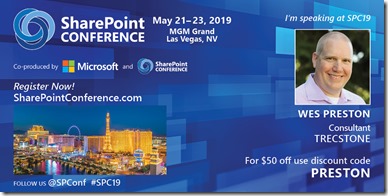
Adding my voice to the choir of “I’ll be speaking at SPC!!” folks. I’m excited to be back at the SharePoint Conference North America 2019 – which returns to Las Vegas, NV for another year after a successful 2018 event and extremely eventful year of changes for the Office365, SharePoint, and OneDrive communities. So much news to share and updated features and capabilities to talk about.
So, before this party sells out, make sure you register and get your discount using the code below. (click image for link to registration w/discount)
More to come soon with info on sessions…
SharePoint Fest – Chicago
Heading to SPFest Chicago in December? I’ll be presenting a few sessions on PowerApps.
PWR104 – PowerApps for SharePoint Users
PWR202 – From SharePoint to PowerApps: Evolution of the ‘Intake Form’ Solution
(Check out the sessions here)
There’s going to be a LOT of great speakers, sponsors, and content. Fresh out of Ignite there will be a lot to talk about.
Interested in attending? Here’s a discount code (click for registration): 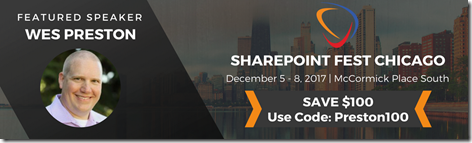
Hope to see you there!!
Microsoft Ignite 2017 !!
UPDATE: They’ve managed to fix our session overlap – new location and time shown below!
UPDATE: Added links to the Tech Community Discussions for each session. Chime in!
In a relatively late development, I’ll be attending and speaking at Ignite in Orlando this year! I wasn’t planning on either, so this is exciting. Working on both SharePoint and PowerApps, I’ve got one theater session and will be co-presenting with Cathy Dew on a full breakout session. Links and details below.
Microsoft Ignite in Orlando. Sept. 25 – 29th.
Evolution of the Intake Request Solution from SharePoint to PowerApps
OCCC South – Expo Theater #4
Wednesday @ 1:05 – 1:25
Tech Community Discussion <- Talk to us!
w/Cathy Dew:
Create Custom forms and digital experiences in SharePoint using Microsoft PowerApps
OCCC W307
Thursday @12:30 – 1:45
Tech Community Discussion <- Talk to us!
Yes, if you’re looking at the times the two sessions actually overlap right now (fixed!). We’re working on that.  Worst case I leave Cathy’s session a little before we’re done and RUN to the other building. Let’s hope it doesn’t come to that. Either way we’ll make it work.
SUPER excited to be able to attend and contribute. Hope to see you there!
SharePoint Conference 2014 – Sessions Up
Sessions have been posted for the next SharePoint Conference 2014 in Las Vegas.
http://www.sharepointconference.com/content/sessions
See what sessions you want to attend and get registered now!
I’ll be doing a session on Client Side Rendering (CSR) again if you missed it last time.  #SPC318.
See you there!
SharePoint Fest DC – PWR104 – Customizing SharePoint 2013 Sites and Pages
The following is a link to the slides from today’s session on (mostly) CSR and JSLink within SharePoint 2013.
Much of the CSR / JSLink content and instruction can also be found in the blog post found here:
http://www.idubbs.com/blog/2012/js-link-for-sharepoint-2013-web-partsa-quick-functional-primer/
Other recent posts worth checking out:
- JSLink Display Rendering issues (multiple web parts on same page)
http://www.myfatblog.co.uk/index.php/2013/08/list-view-web-parts-and-jslink-display-template-rendering-issues/ - Customize List Form Fields in Display Form Using JSLink in SharePoint 2013
http://www.learningsharepoint.com/2013/04/01/customize-list-form-fields-in-display-form-dispform-aspx-using-js-link-in-sharepoint-2013-2/