Category Archives: Training

M365 Twin Cities Logo

M365 Twin Cities – Conference Event

M365 Twin Cities is the evolution of SharePoint Saturday Twin Cities and is a Community Days event. As a part of Community Days, we’re also aligned with MGCI – Microsoft’s Global Community Initiative.

We cover topics from M365, Copilot, Power Platform and anything related or adjacent to M365 like Azure, governance, security, and a lot more. Our audience also falls across many personas: Users, decision makers, power users, makers, developers, administrators, and others.

As we’re currently preparing for our 2026 event, let’s recap our 2025 event a bit.

2025 Event By the Numbers

Our 2025 event was on Friday September 19, 2025. We had 705 registrations prior to the event with a number of folks that registered at the event. All in all, we had about 380 folks on site (that’s a pretty normal ratio against registrations). The attendee numbers were a good trend from 2024 where we had about 250 folks – steadily growing post-pandemic.

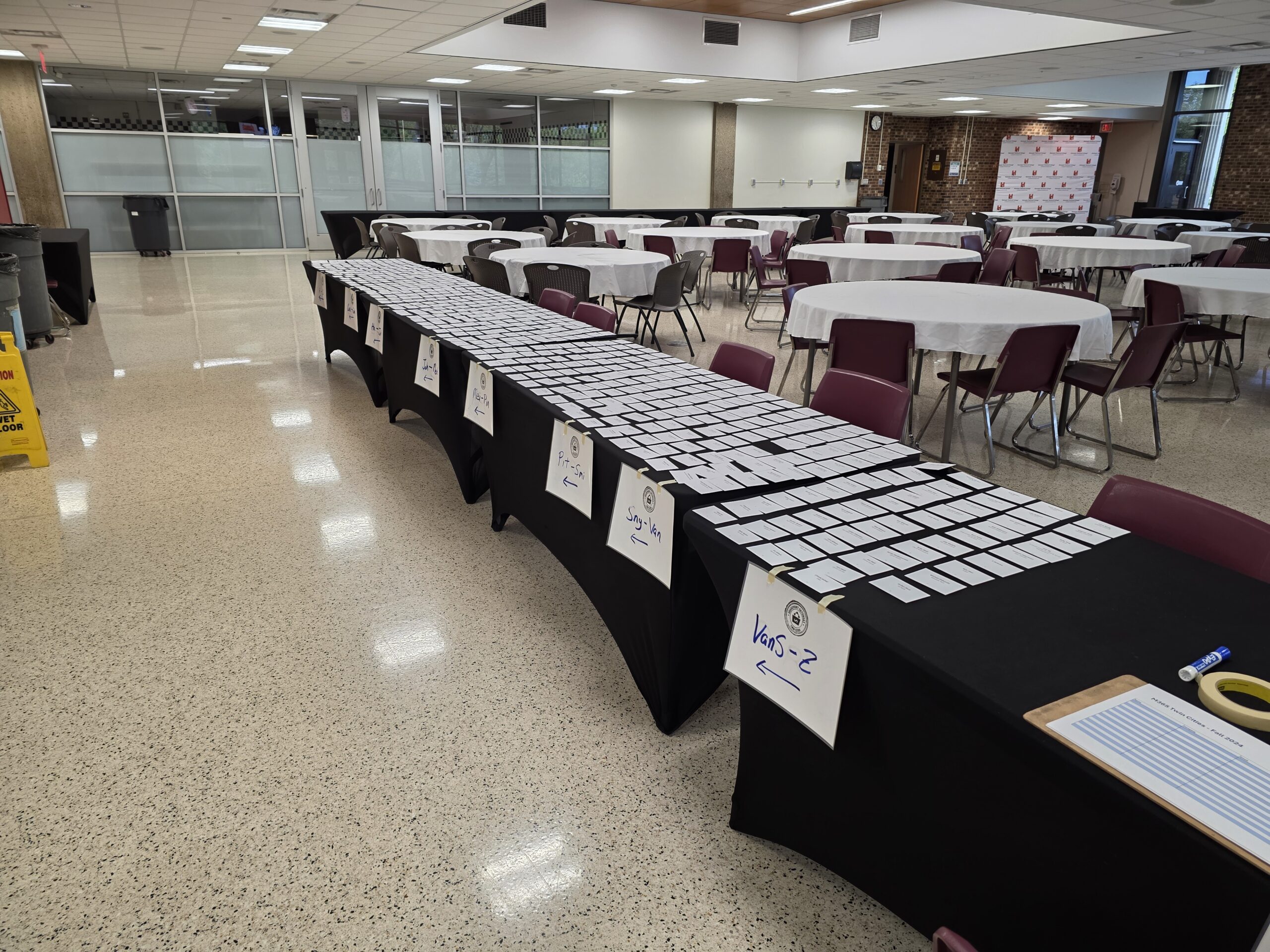
Registration – Ready to go!

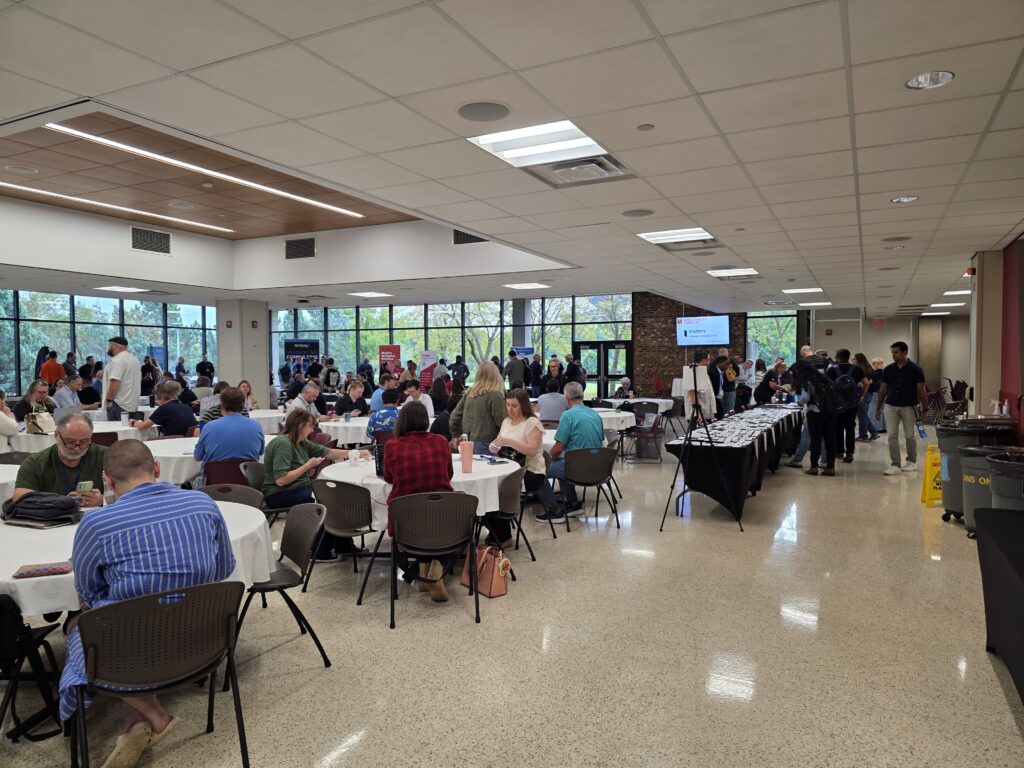
The ‘vibe’ was overwhelmingly positive. The higher attendance was immediately obvious and contributed to the higher energy in the room from both attendees and sponsors. As our community usually does, they hit up the sponsors early – even before our opening info session. The coffee and donuts may have helped as well.

We had 31 sessions with 33 speakers across 8 rooms – with the largest session attendance topping out around 110 people! Learning was had by all.

Sponsorships post-pandemic were, and still are, a challenge. The market has changed, the economy has changed, and how sponsors engage with customers has changed. Where we had a little budgetary buffer in the past (pre-pandemic), events are tough to fully fund. We’re hopeful that rising attendee numbers will help bring sponsors back. Our 2025 event had 8 wonderful and fully engaged sponsors.

Locally, we’ve got a really strong Microsoft community – a healthy SharePoint history and M365 adoption across businesses, government, and other organizations. While this is mostly a good thing, it also drives a bit of competition with other groups and events within our community. While this is great for attendees, it’s tough on sponsors and event producers. There’s only so much funding to go around and tight budgets can impact community-driven (and funded) events like ours.

Historically we’ve had 1-2 events a year with 2 events most years. Coming back post-pandemic we’ve tended towards a single event – *and* moved to Fridays – in an effort to make sponsorship funding more reasonable for our supporting vendors.

Next up – Fall Event

Our 2026 event will be held on Friday September 18, 2026. Registration is open. We’re working on session selection and aim to have the schedule up in a few weeks.

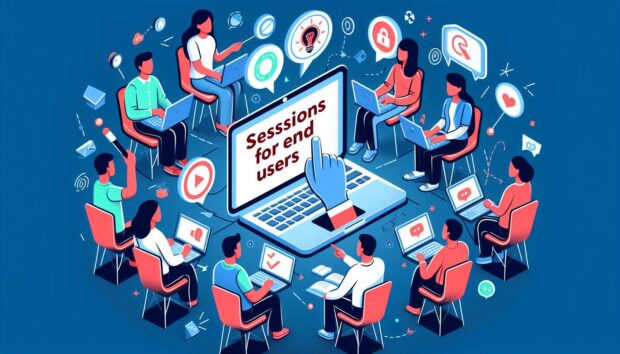
End User Sessions at M365 Twin Cities

OK, I just finished rambling about content for end users at technical conferences. There’s a lot of great stuff out there and here’s a sampling of what we’ve got to offer end users on Friday September 6, 2024 at the latest M365 Twin Cities event in Minnesota:

  • Introducing Microsoft 365 Copilot – with Michelle Gilbert
    Michelle is a local Microsoft resource so you’ll be getting the latest info straight from the source. Are you using Copilot? Do you know what it is? Should you? This’ll be a great opportunity to get the overview you need on what’s available now, what’s coming, and why you should care about AI in the Microsoft space.
  • Calendars! Calendars! Calendars! – with Tamara Bredemus
    If you’ve never attended a session by Tamara, that alone should be enough to check this out – she’s awesome. But the topic is a hot one with so many options and folks not knowing which to use. Check this one out.
  • Integrating Forms with Teams for Real-time Responses – with Brian Alderman
    Between Microsoft’s launch of Teams and the explosion of usage during the pandemic, there are a LOT of Teams users within every organization. Teams keeps adding features and this is a solid one you should be aware of. Check it out.
  • Microsoft Lists: the productivity game changer for everyday people – with Heidi Jordon
    Lists have been around for over 20 years as a structured way to manage data – data we’ve been trying to get you to get off those post-it notes and out of Excel files. Heidi is going to go through a bunch of use cases so you can see what we’ve been talking about and leave you wanting to dig into Lists when you’re back at work.
  • 20 Microsoft 365 Productivity Tips – with Christian Buckley and Tom Duff
    Another favorite of attendees because they’re entertaining and the content is relevant to what folks are doing everyday within the Microsoft toolsets. Highly recommended to check out.

You will walk away with skills you can use and info you can act on.

This is just a sampling. We’ll have a few more sessions posted between now and the event, so keep checking the links below for the latest.

Links

Tech Conferences – Also for End Users

Maybe it’s me, but it seems that there aren’t enough end users at technical conferences. There are a variety of tech events out there and some of them are absolutely deeper dives for technical professionals. But there are more – either professionally produced or community-run – that include content for everyone.

Now, I could have said “training” instead of “conferences”, but training is more obvious (everyone needs it, including end users) and often covered by training departments within larger organizations. The conferences part here is also important because it involves networking with peers – usually outside of the organization. People with different perspectives and company cultures that can bring new ideas and approaches to common issues. Conferences are also great opportunities to interact with SMEs – either community contributors or the folks building the products.

Obviously, you can’t stop work and send everyone. But you can often send more than we’re currently seeing – especially free local events. These events aren’t just for IT. Ultimately, having end users in attendance can also help IT by bringing a business perspective to product features. And yes, these product feature conversations do still need to be tempered by IT realities: cost, time, risk, and many more…

We’ve always had end users at conferences, but never enough when you consider where and how the impact on business occurs and just how many users there are out there. The impact they make isn’t isolated though. It requires partnerships within each org. Users aren’t going to be successful if the platform isn’t deployed or configured correctly (IT Pros). Users aren’t going to be successful if platform owners don’t make connections between tech and business priorities, train users, and keep them up to speed.

Engaging technology to further the business requires awareness, skills, and a bit of balance between a number of teams. The benefits can be awesome.

End users are challenged by awareness, instruction, divided priorities, and limited time. We can group these a bit. Priorities and time go together as there’s often not enough time (this continues to get worse as organizations keep trying to get lean…) and business, not tools, are (and should be) the priority. Learning tools is secondary even if the end result makes the business more efficient.

Awareness and instruction go together with the awareness part often overlooked (also another topic…). Users need to get a grasp of what tools or capabilities are available (awareness) and then learn how to use them (instruction) when they’re relevant. In an ideal situation someone like a platform team or a customer success team may cover awareness in terms of what features are available and where they fit – translating between the tool and business needs. In many cases, however, IT can be a blocker of sorts… not letting users know features are available, or even disabling them.

Disabling features can very well be for legit reasons (security, conflicts with capability offered by other products, etc.). In some cases, they might not enable features until they’ve been tested and validated, IT trains up on them, or training materials are created. And again, we run into crunch time with IT not having enough time to dig in. If end users learn themselves about features, they can inquire about them with IT and help determine when it might be a business priority to deploy features and capabilities. It’s for each organization to find the balance that works for them between business needs, IT capabilities, and prioritizing them.

More than ever before (at least that I’ve seen) the makers of apps, tools, and services are reaching out directly to end users instead of relying on IT as an intermediary. They’re both building tools that appeal to end users and marketing directly to them. Microsoft Lists, for example, has been around for over 20 years (SharePoint, then Microsoft Lists) and is aimed at end users to manage information with structure. More recently the Microsoft Power Platform targeted all users with Power Automate and Power Apps – though I’d argue Power Apps is very much NOT for all users… but that’s another post. Currently, we’re in the midst of AI and Copilot rollouts that will have impact on everyone.

Summary

The more end users we can get at conferences, in training, and engaging within technical communities, the better. They can gain awareness to features and capabilities to understand where and when they might be useful in their business needs. They’ll know when to ask IT to turn a feature on they might not have access to initially. They can build personal networks and provide valuable feedback to product owners.

So, especially when it comes to local and free (or for marginal costs…) events, make the time when you are able to enable your employees and your teams to join the conversation! It’s good for mental health to step away from the grind every so often too. 🙂

Context and Perspective

My opinion and experience here is biased on several accounts:

  • I’m an event producer. Just small, local, community-run events, but still. I’m interested in getting folks to events both because I want events to be successful and because I want folks to have the opportunity to learn, to skill up, to become more effective with the tools they use (that’s why we put them on after all…).
  • I’m also involved with a group that promotes community events and encourages folks to produce them.
  • The tech spaces I work in (Microsoft M365, SharePoint, Lists, Teams, Power Apps, etc.) have historically been near the “edge” of where tech professionals, power users, and end users come together.
  • I speak at a variety of events – both community-run and larger commercial events.

References

  • M365 Twin Cities – Next one on Sept. 6, 2024 – The event I put on with a team of awesome folks
  • MGCI (Microsoft Global Community Initiative) – The organization I am associated with as a Regional Leader to
  • Community Days – Community-run events (Primarily. Others are listed as well) associated with MGCI’s efforts..
  • TechCon 365 – A larger professionally run event that typically produces 3 or so events per year across the US. A week-long event with workshops, keynotes, and sessions.
    If you’re interested in these, let me know as I often have discount codes available.
people holding their phones

Community Events – Local Reach

Another BIG event going on this week in the M365 world: M365 Conference 2023 in Las Vegas. It’s a 3rd party conference, though heavily invested and involved with by Microsoft by way of speakers, keynotes, sponsorship and other content. Lots of big announcements.

But not everyone can attend.

Not everyone can get there. Not everyone *wants to* attend or go to Vegas. And with a looming recession and/or economic outlook for many organizations, it might not be a great time to send folks to out of state costly conferences.

Enter… local events.

Now, I’m not trying to poo-poo these big events. They’ve got a ton of value. I speak at some of them. They’re a fantastic opportunity to step away from your day-to-day responsibilities (if you can…) meet with community (topic-wise, not geographic community) folks, spend time chatting, building broader networks, or meet and connect with Microsoft and vendor contacts. The coverage that larger events offer is also extremely important in that you can see so many sessions, workshops, vendors, and more in one spot. In addition to this week’s event, there are events like 365 EduCon that offer options in more cities throughout the year.

What I am saying is that local – usually community-run – events have a place, an important one – for many folks.

Community events like our M365TwinCities event (working on a Fall date…), the upcoming MN M365 User Group Spring Workshop, or even frequent M365TC #CoffeeCrew events fill important gaps in our communities. In upcoming weeks here in Minnesota we’ll be reviewing this week’s big announcements from Microsoft, offering more in depth coverage with workshop sessions, or just having a coffee and connecting with others. Similar groups will be meeting all over the US and the world doing the same thing.

SO. Get familiar with your local community. Join it. Take part in it. Contribute to it with your time and experience. And if there’s not a community you’re looking for – consider building one!

Skill Gap Risks – SharePoint Site Administrators

The Minnesota SharePoint User Group (@MNSPUG) met last week to talk about governance of SharePoint Site Provisioning. Brian Caauwe did a wonderful job covering the material. Presentation slides and recording can be found HERE.

During the call, those of us participating remotely via Skype for Business (that’s not going to last too much longer… enter Teams…) had an interesting conversation via the chat regarding site administrators, governance and policies surrounding training, skills, and communication for them.

Question: What examples of risks to the organization have you seen when #SharePoint site admins are NOT kept up to date with skills and platform capabilities?

Respond in comments here or by tagging @idubbs in Twitter. 

Some organizations do a good job with initial ramping up of skills: “Do this training before getting a site”. Fewer, however, follow up after a site has been handed over – with refresher information, policy changes, platform changes, etc.

In an on-premises environment, the platform might stay fairly consistent over time – with updated training made available alongside platform updates.

In a SharePoint Online / O365 environment things are changing at a much faster rate (by Microsoft) and without waiting for updates to internal training materials or schedules.

From a governance perspective, it’s critical to keep your users – especially those managing permissions – up to date – at the very least, to make sure your content is managed appropriately. I’d love to hear from SharePoint users about risks you’ve seen or are concerned about regarding on going site management and how admin training and education impacts risks to security, or your organization. 

SharePoint Fest – Chicago 2012

Last week I presented a few sessions at the SharePoint Fest Chicago event. 

The first was the SharePoint Lists: Used, Abused and Underappreciated session that I’ve given a number of times. 

For those of you interested in the “List” content, I plan on updating this session soon with 2013 content as the platform get finalized and released.  I’m also putting together a session/workshop on the Request/Intake example that I frequently mention and use as examples during the presentation.  So, keep an eye out for that. 

The second session was a new one for me “Demystifying Governance and User Adoption”.  Yea, it’s another session with the ‘governance’ and ‘user adoption’ buzzwords, but my hope is to add some useful tips and thoughts to the conversation. 

SharePoint Saturday – Twin Cities – Fall 2012

Yep, it’s that time of year again.  We’re ramping up for the Fall 2012 SharePoint Saturday Twin Cities event.  We’ll be meeting on November 3rd this year, still at the Normandale campus down in Bloomington.  

We’re not planning on covering a lot for 2013 in our sessions just yet – too many folks are still interested in and using 2010 and the final 2013 version hasn’t been released yet. So, we’ll be focused on 2010 for one more round at least and then see where things are in the Spring.  You’ll likely hear a LOT of news about 2013 the following week with the big Microsoft SharePoint Conference in Vegas happening and most of it centered on the 2013 platform. 

Speakers and sessions have all been posted – take a look when you have a chance.  We’ve got great folks coming from all over and bringing a ton of great sessions, content and experience. 

We are also continuing with our 101 Track – so if you have folks that are new to SharePoint, the event has content for them as well.  We’ve got 4 sessions specifically in the track – starting with my ‘What is this thing called SharePoint’ session – but there are other sessions throughout the day not in the 101 Track that folks new to the platform can certainly benefit from as well. 

Keep an eye out for registration to open next Monday – Sept 10. We will be limiting registration to 600 people again this time as it seems to be getting us to about the level we can manage at the current location.  The Spring event had over 460 attendees…  Smile  We’re one of the largest SPS events in the country. 

There are lots of great sponsors again as well, we hope to fill up our space with 30 vendors – they’ll be added to the site as soon as they are validated. 

Finally, when putting the event in your calendar, don’t forget to set aside Friday night as we’ll be having our SharePint (the night BEFORE the SPS event).  More info to come on that…

If you have any questions about the event, let me know!!  I look forward to seeing you there. 

SharePoint Saturday Twin Cities – 4/9 Recap

The latest SharePoint Saturday event in the Twin Cities was a huge success!  Some of the numbers:

The new location worked out very well – holding everyone without too much crowding (other than a few really popular sessions), with free parking and wireless access available.  A nice upgrade from our previous digs.  We also had a Kinect play area during the day.  Smile 

Presentations are now available on the site for download. 

Keep an eye on the official site for updates and news about the fall “ScarePoint Saturday” event – tentatively scheduled for October 29th.

A big thanks to Sarah Haase for overseeing the organization of the event, as well as to all the sponsors, volunteers, and attendees. 

See you in the fall!

SharePoint Saturday Twin Cities–4/9

Yep, it’s here again.  This Saturday is the latest SharePoint Saturday – Twin Cities event.  This is a FREE one-day Microsoft SharePoint product seminar/conference event.  We’ve got over 400 people registered to attend at our new location – Normandale Community College in Bloomington.  So if you haven’t already registered, do it soon. 

See the list of sessions and speakers and register here

We also just launched a facebook page for the event and ongoing events.  

Also keep an eye on the Twitter hashtag #SPSTC

For those of you new to SharePoint, I’ll be doing a morning Intro to SharePoint session talking about the features and implementation efforts. 

Please let other folks new to the platform know about the event and my session as well – it’s a great (and free) opportunity to learn and share.    

See you Saturday!

Microsoft SharePoint and Office 2010 Launch Events

Most folks know about the May12th Launch event that Microsoft will be streaming “Live from New York!”.  We’ll be carrying the event live at our monthly MNSPUG meeting which just happened to coincide with it.  We’ll also be having a panel discussion about SharePoint 2007 and 2010 beforehand…

What doesn’t seem to be getting as much press are the IT Pro and Developer events that are also happening around the country.  Check out the following link and dig in a bit:

http://www.microsoft.com/business/2010events/ 

We’ll be having a local event in Minneapolis (Bloomington actually) on May 27th – so take a look at the agenda and see if you like to attend with us!