UPDATE: Apps are being deprecated as of December 16, 2026. MC1474111
… a few more details
Or not… But it’s on by default (of course).
If you follow the Message Center – administrative updates for your M365 tenant but available to anyone really – you may have seen a recent announcement about “NEW Microsoft 365 companion apps…”. There’s a lot to unpack here. First detail that caught my attention however was that they are intending to *automatically* install software on your PC – not a shock, but also something I’m not generally a fan of without more information and prior planning – hence this heads-up for folks.
The Roadmap ID for this change isn’t useful at all. But the Message Center post is well done with lots of details, references, and highlights including how to opt-out of automatic installation (without having to use PowerShell!).
So, what’s Microsoft up to this time? Why the push of client-side apps? What aren’t they getting with their cloud-based solutions? Again, there’s lots to unpack but the Message Center highlights give a good overview.
What’s Installed
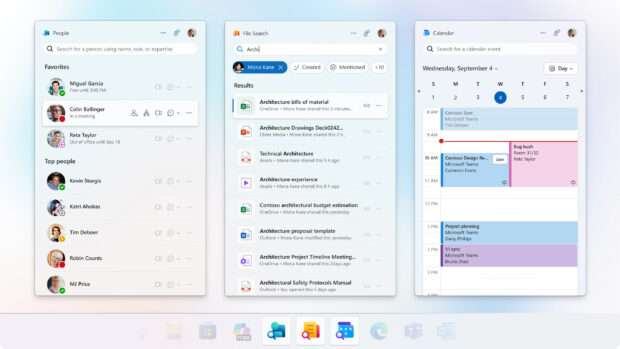
There are three apps installed: People, File Search, and Calendar. These can be installed manually – as a set, not individually – via the Microsoft 365 companion app installer.
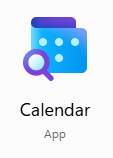
People and File Search are unique enough to find and launch easily. Be aware however that the new Calendar companion app can be confused with the existing (New Outlook) Calendar app.
The old app/icon:

The new companion app/icon:
Functionality of the apps will vary depending on other licensing and configuration, including Copilot in your environment and tenant. An overview of the companion apps can be found here: Microsoft 365 companions apps overview – Microsoft 365 Apps | Microsoft Learn
More to come…
References
- Message Center post
- Roadmap ID “details”
- Microsoft 365 companions apps overview – Microsoft 365 Apps | Microsoft Learn
- Get started with Microsoft 365 companions – Microsoft Support
Notes / News / Thoughts
- How has no one in the Microsoft ecosphere used “On by Default” as a podcast name? (Discord owns the domain name…)
- Microsoft also recently announced (as seen in a post by Jeff Teper on LinkedIn) they are updating icons again… Fluid forms, vibrant colors – Microsoft Design